CCC: Claude Code Container – Sandboxed AI Agent Workflow
A Docker-based Claude Code setup that gives the agent unrestricted reach inside the container while gating every edge onto the host through a lightweight safety layer — practical day-to-day agent autonomy, not theoretical.
Between YOLO and friction
Two defaults, both bad. Running Claude Code with --dangerously-skip-permissions ("YOLO") lets the agent move fast, but it has unrestricted access to your filesystem, network, and shell the moment it decides to use it. Running with the default permission prompts keeps you safe but turns routine agent work into a steady tap-tap of approvals. The right point on that spectrum depends on what the agent is actually doing — implementing a plan you already reviewed is not the same as researching the open web where prompt injection is a real concern.
Container is the blast radius
Claude Code runs inside a Docker container (Ubuntu-based, auto-updating) with the YOLO flag set. Inside the container, the agent has whatever it needs — filesystem, network, shell — and doesn't have to ask. Outside the container, it has exactly one edge, and that edge is gated.
Path parity. Project files are mounted preserving their exact host paths, so there's no translation layer between what the agent sees and what exists on the host. /Volumes/Projects/foo is the same path inside the container as outside it.
Config parity. Claude's own configuration directory is mounted in as well, so hooks, slash commands, and preferences match the host. Moving between a host session and a container session doesn't change the agent's behavior.
host-exec with a Haiku check
The only way the containerized agent reaches the host is through a custom MCP server called host-exec. Every call flows through a two-stage gate:
Stage one — AI risk check. A Haiku model evaluates the command against the working context and conservatively auto-approves low-risk operations (reads, lookups, benign tooling). A little latency, a lot of friction removed.
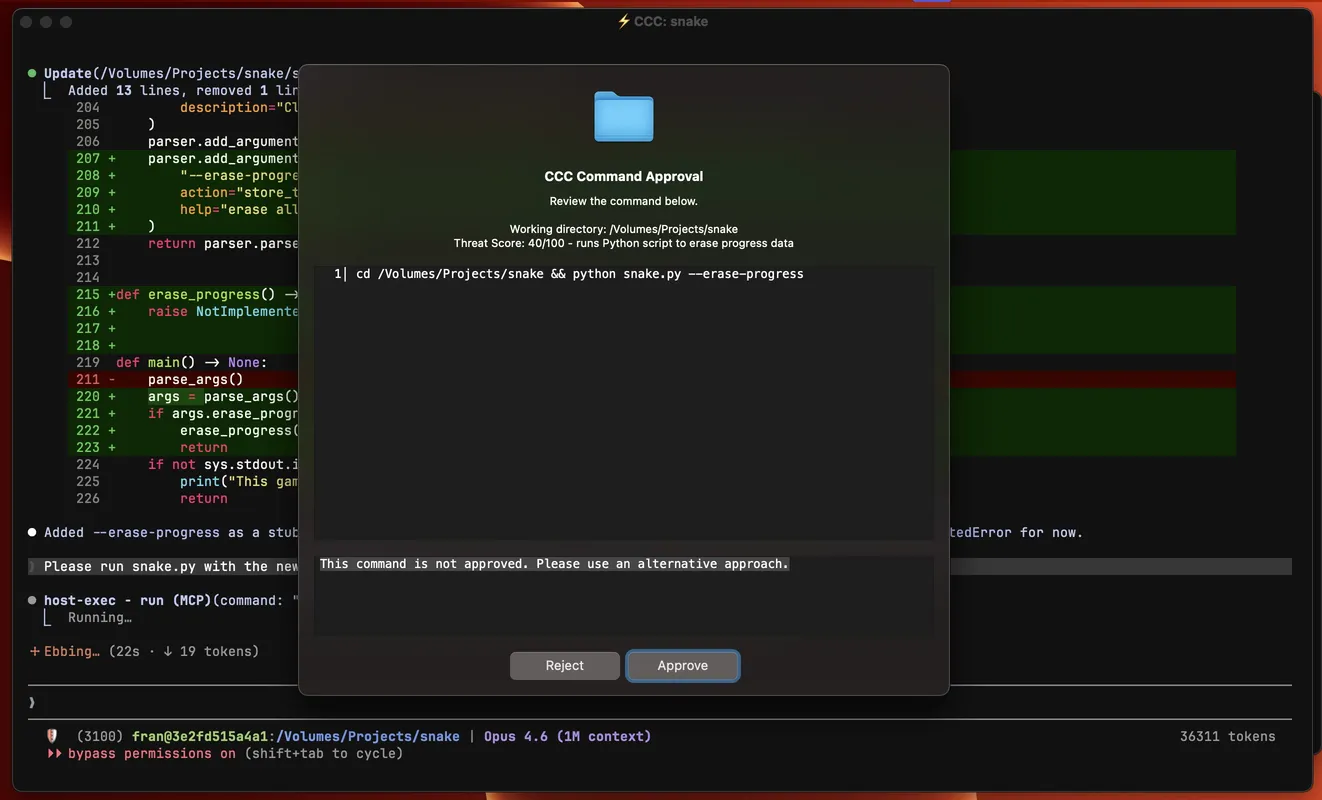
Stage two — UI popup. Anything that doesn't pass the AI check pops up a native approval dialog with the full command, a threat-score summary, and two buttons: approve, or deny with a reason the agent will see. The reason matters — it lets you push back without killing the run.
One toggle, two modes
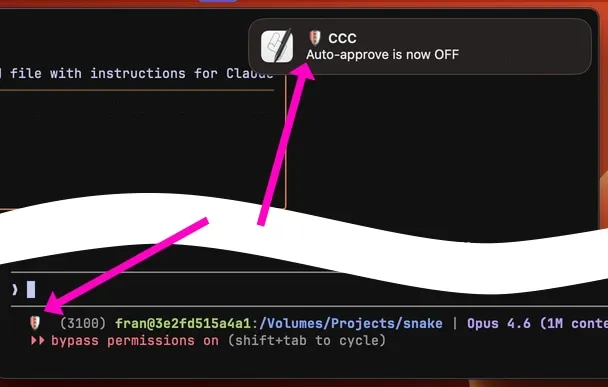
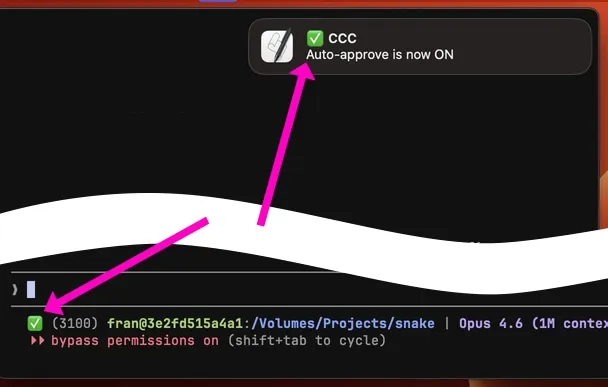
The approval loop is the right default, but it's not always the right state. A toggle flips auto-approve on or off for the current container — either via a slash command inside Claude or through a small browser page on localhost. Implementing a reviewed plan? Auto-approve everything. Researching online where prompt injection is a live risk? Flip it off and let the gate catch every host call.
Fleet, MCP routing, small details
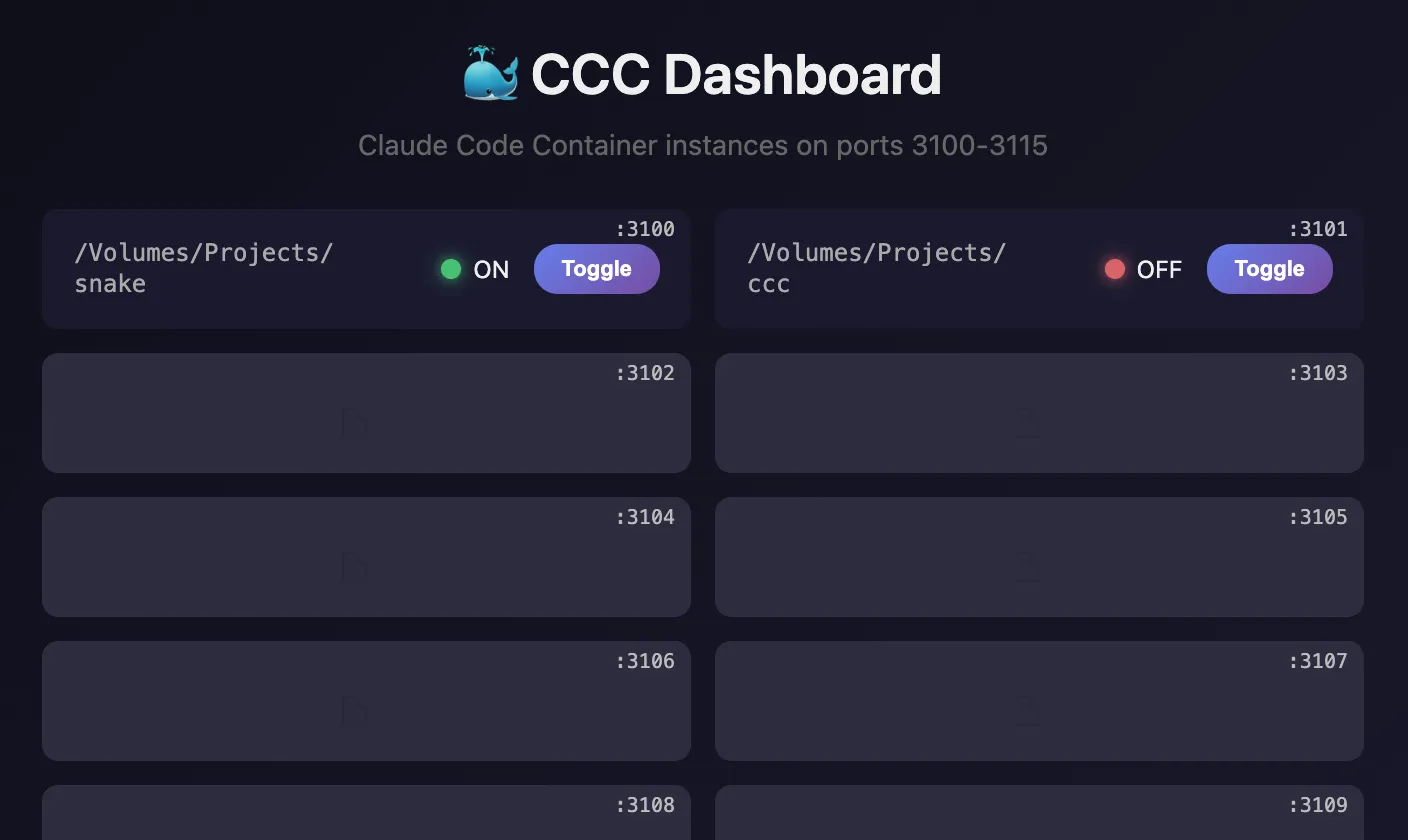
Many CCCs at once. A local dashboard lists every running container on its port (3100–3115) with its own auto-approve toggle. Different projects run in parallel without stepping on each other.
MCP routing. Some MCPs live inside the container; others run on the host and are exposed to the containerized agent via mcp-proxy, a small stdio-to-HTTP bridge. Same tool surface either way, but no need to install host-side tooling inside every container.
Configuration. The current working directory is mounted automatically; additional paths can be added via a .cccrc file. Path parity between host and container turned out to be a practical win worth the small setup cost.
Sound hooks. Claude Code event hooks that play sounds use a CLI wrapper that plays directly on the host — or, when running inside the container, routes the sound playback through host-exec. One hook config, correct behavior in both places.
Worth noting: this isn't a foolproof agent-safety solution. It's a more practical point on the spectrum between no supervision and Claude Code's default permission system. For my day-to-day work, this balance has been the right one.