Air traffic controller training system
A centralized system that connects trainee air traffic controllers, instructors, and feeders in a real-time simulated exercise — one frontend codebase packaged for iPad and Windows 10, with an admin scenario editor instructors use to prepare and reuse games without developer help.
Training the role, not the airspace
Air traffic controller trainees can't learn their job by commanding real aircraft. They learn by rehearsal — instructors stage live-looking traffic situations, trainees respond in real time, and the exercise replays the stress of the job without leaving the training room. The system had to run on hardware the institution already owned, keep multiple trainees and instructors inside the same running exercise, and let instructors prepare and reuse scenarios without calling a developer for every change.
One server, one frontend, three packagings
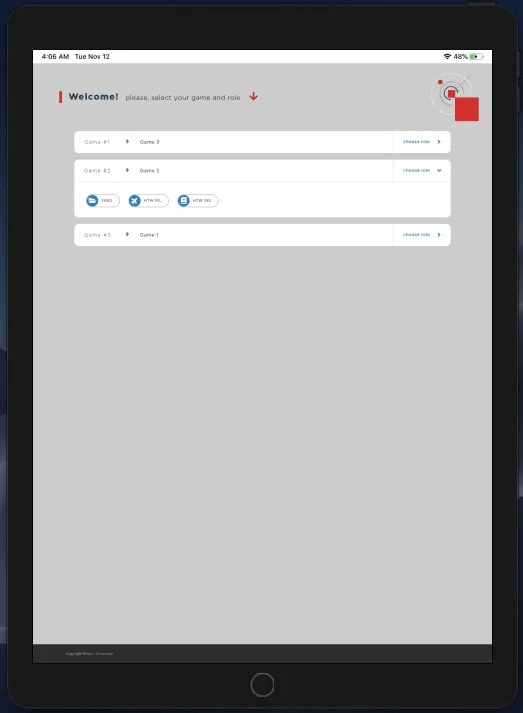
The server is a single Django app holding games, roles, sectors, and playthroughs. The frontend is one codebase shared across three packagings: iOS via Cordova for iPads in the classroom, Windows 10 via Electron for student workstations, and a plain browser for instructor configuration. REST handles request/response; EventSource handles the push half, so trainee UIs update the moment an instructor fires the next event.
Instructors compose games; developers don't
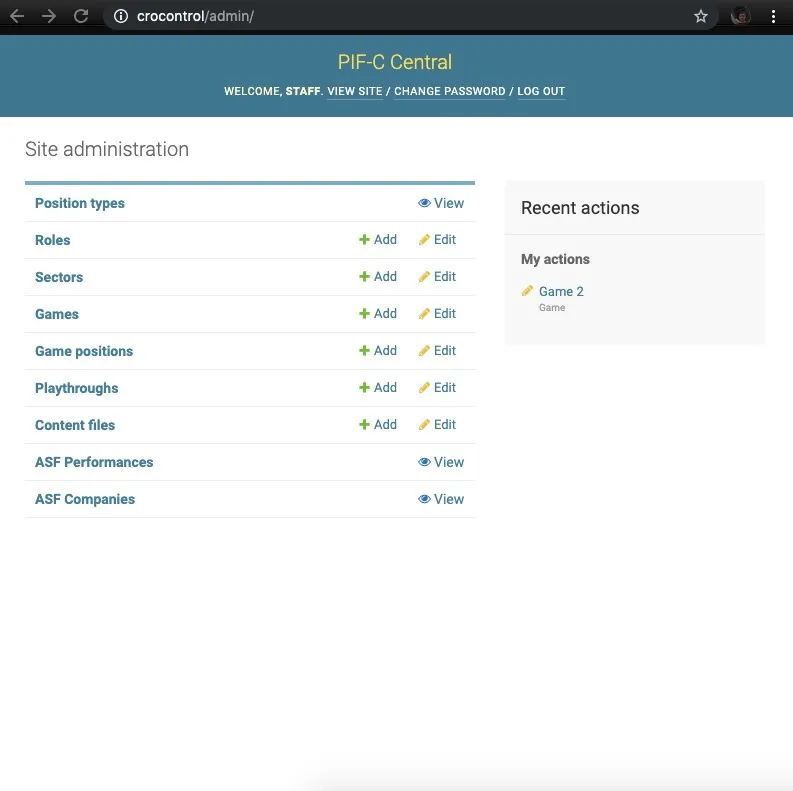
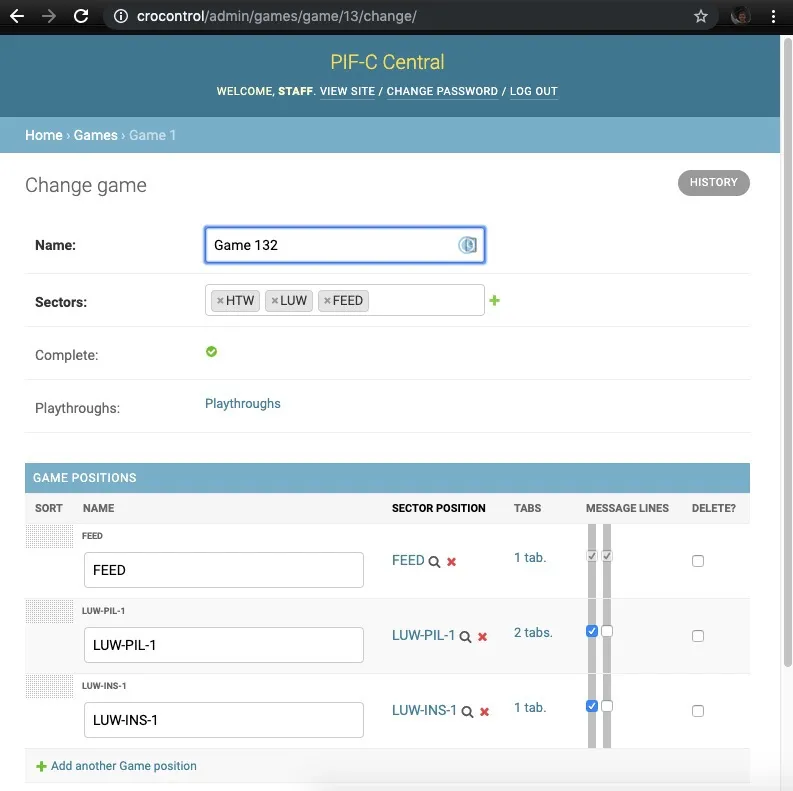
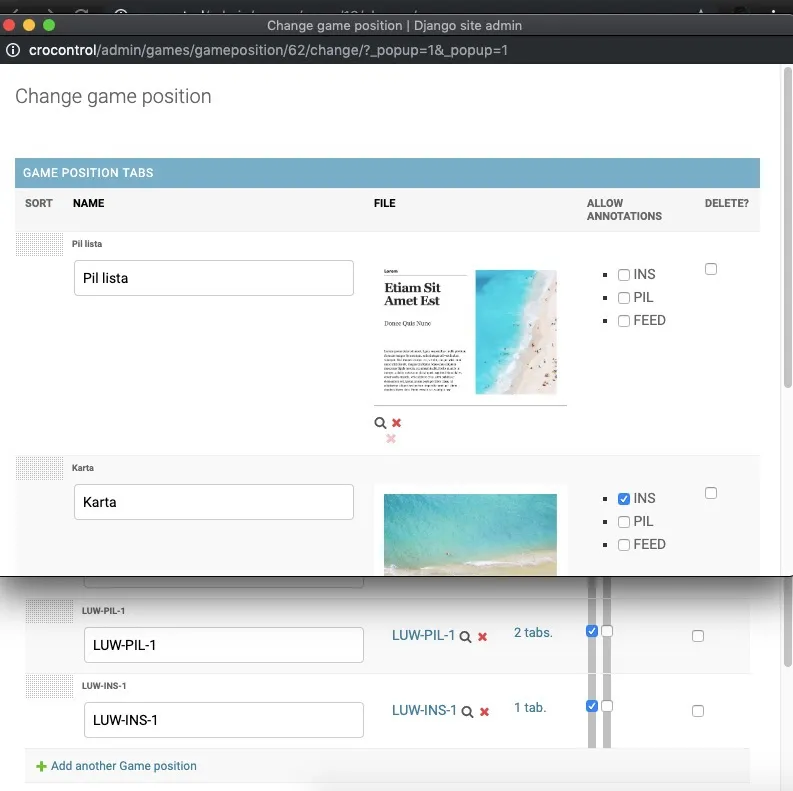
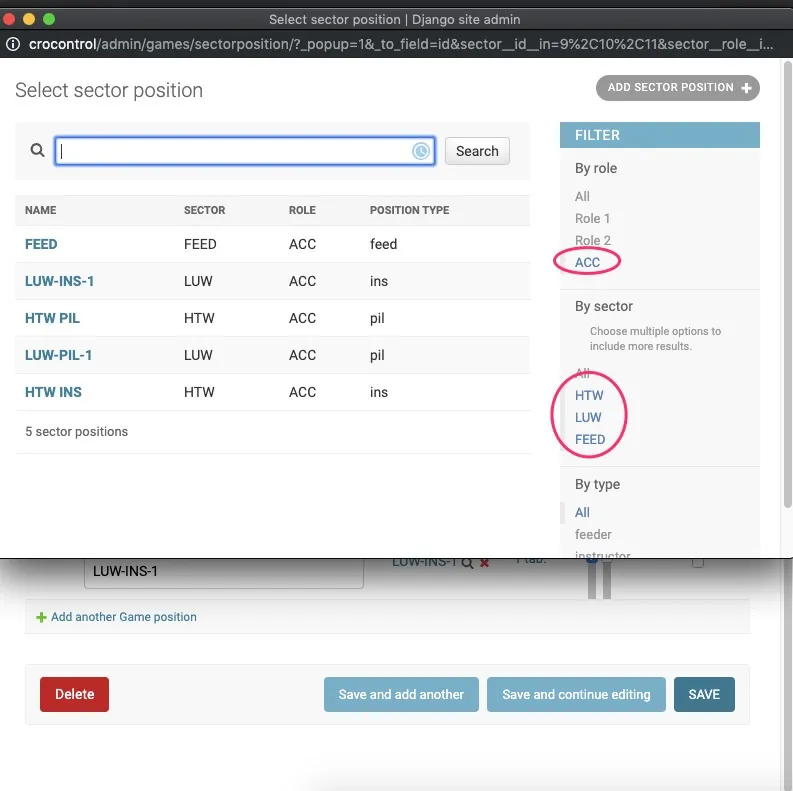
Games aren't hard-coded. The Django admin is the scenario editor — instructors compose a game from roles, sector positions, message tabs, and content files (PDF maps and lists). Once composed, a game can be replayed as a fresh playthrough, so the same scenario runs across many training sessions with clean state each time. Filter chips on pick-list popups auto-scope options to the current role and sector, so the editor stays usable as the catalog grows.
Same UX, iPad and Windows 10
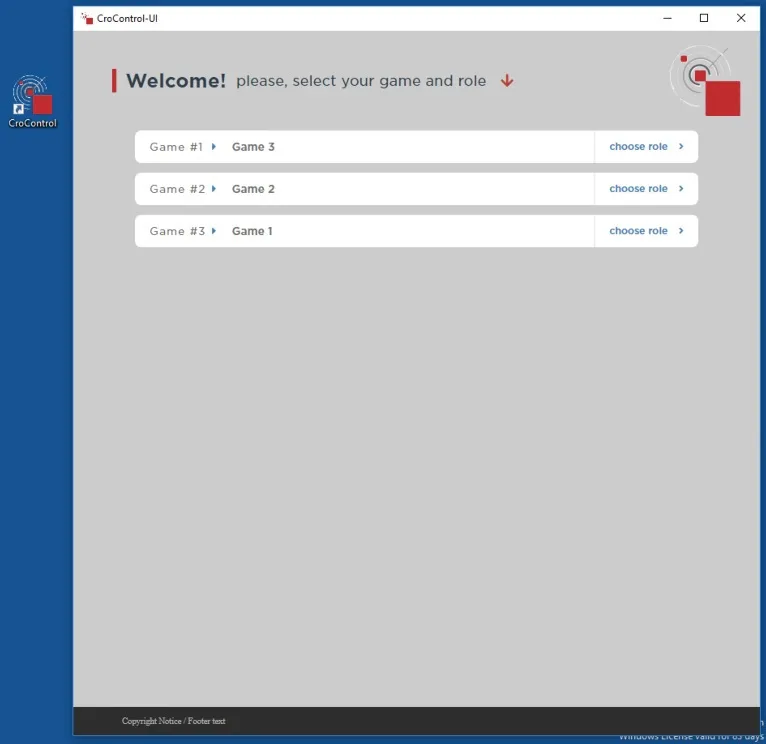
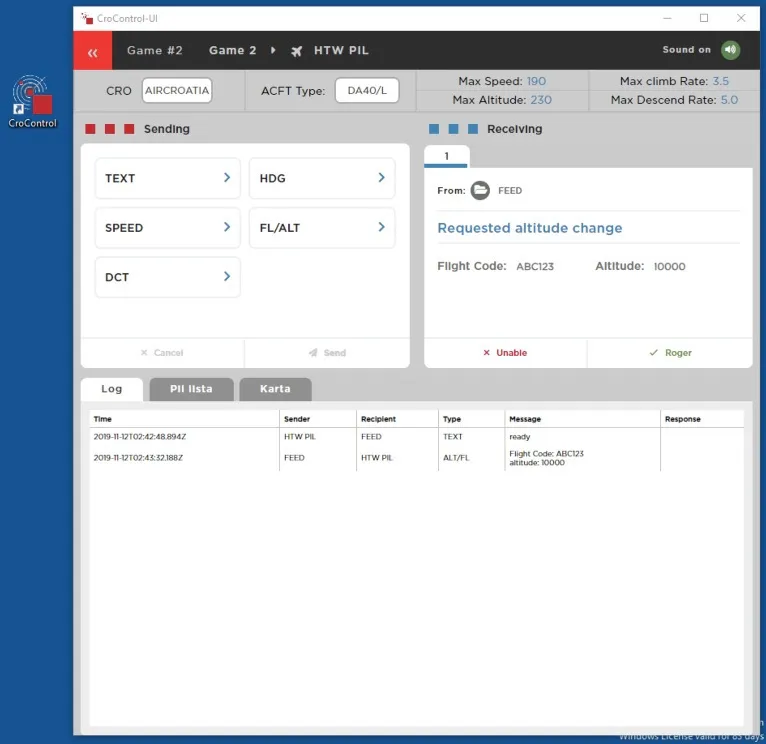
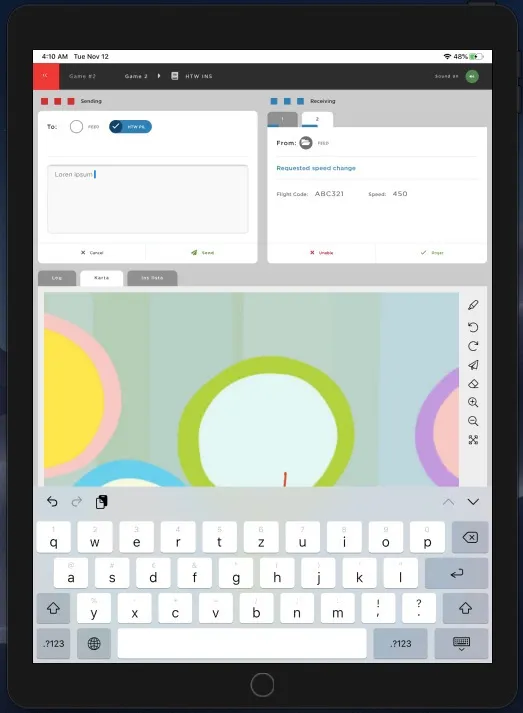
Trainees pick a game, join a role, and the exercise begins. The in-exercise UI is identical across packagings: compact action buttons for pre-formatted radio messages (TEXT, HDG, SPEED, FL/ALT, DCT), a receiving panel that updates as events arrive, a log of everything said, and a map-annotation canvas for free-hand drawing over pre-uploaded PDFs. Instructors and trainees annotate over the same visual material in real time, which is most of the point.