commit 60a5f28 2025 Healthcare & medical Developer tooling
Advanced Django Admin: Nested Drag & Drop, M2M Matrix, AI Test Suite
Three custom Django admin interfaces for a healthcare platform that go well past where most teams would reach for a separate frontend — a self-referencing drag-and-drop tree editor, a full-model M2M matrix with row/column tooling, and an AI regression-test runner that grades LLM responses against validated expectations.
Extend the tool you already have
The path of least resistance on projects like this is to reach for a separate frontend — React, a design system, the whole kit — the moment the admin starts to strain. That's a lot of surface area to own, and most of it repeats what Django's admin already gives you for free. Each of the interfaces below is what happened when the admin was pushed further than usual instead.
Self-referencing hierarchies, dragged across depth
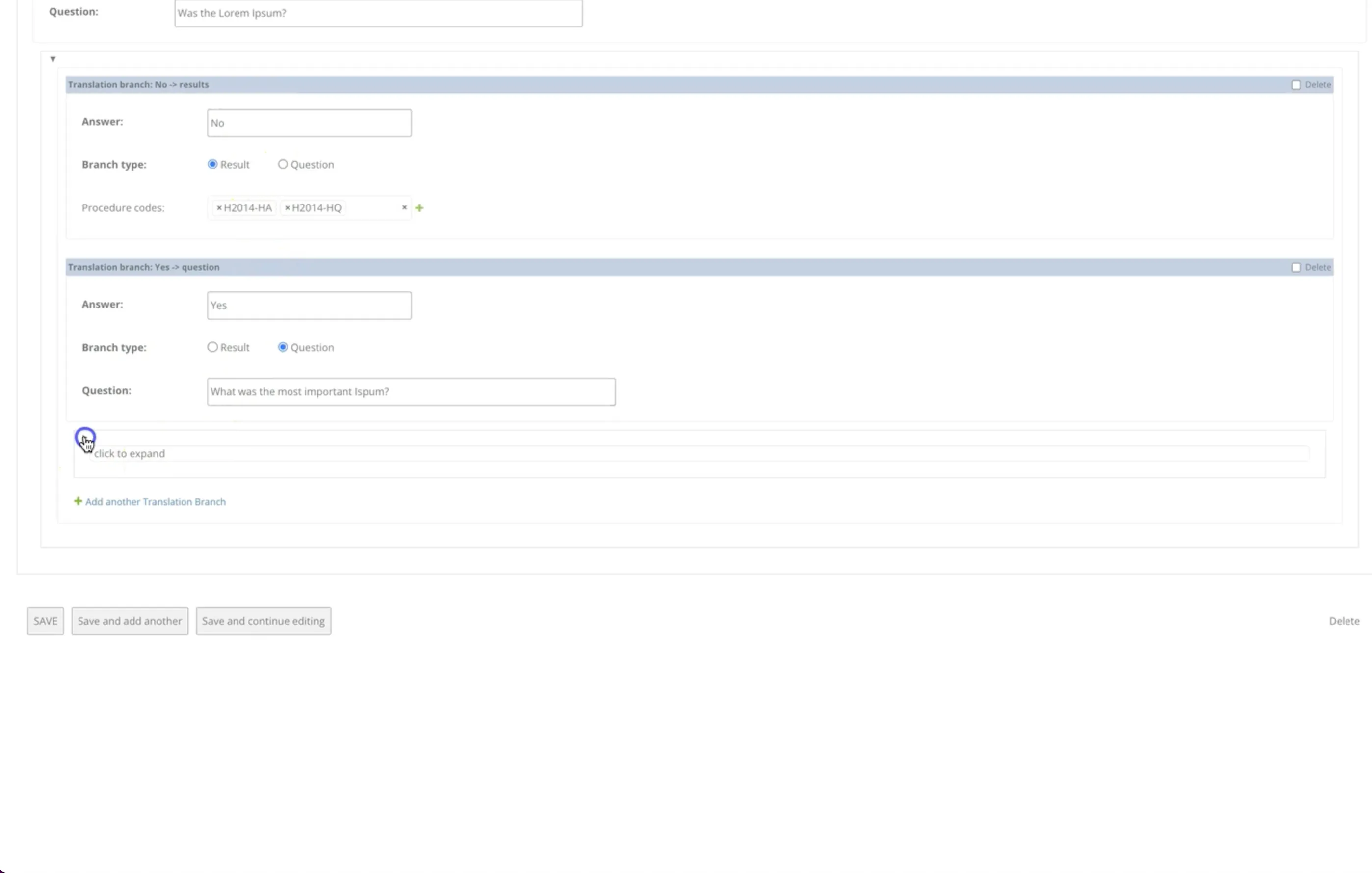
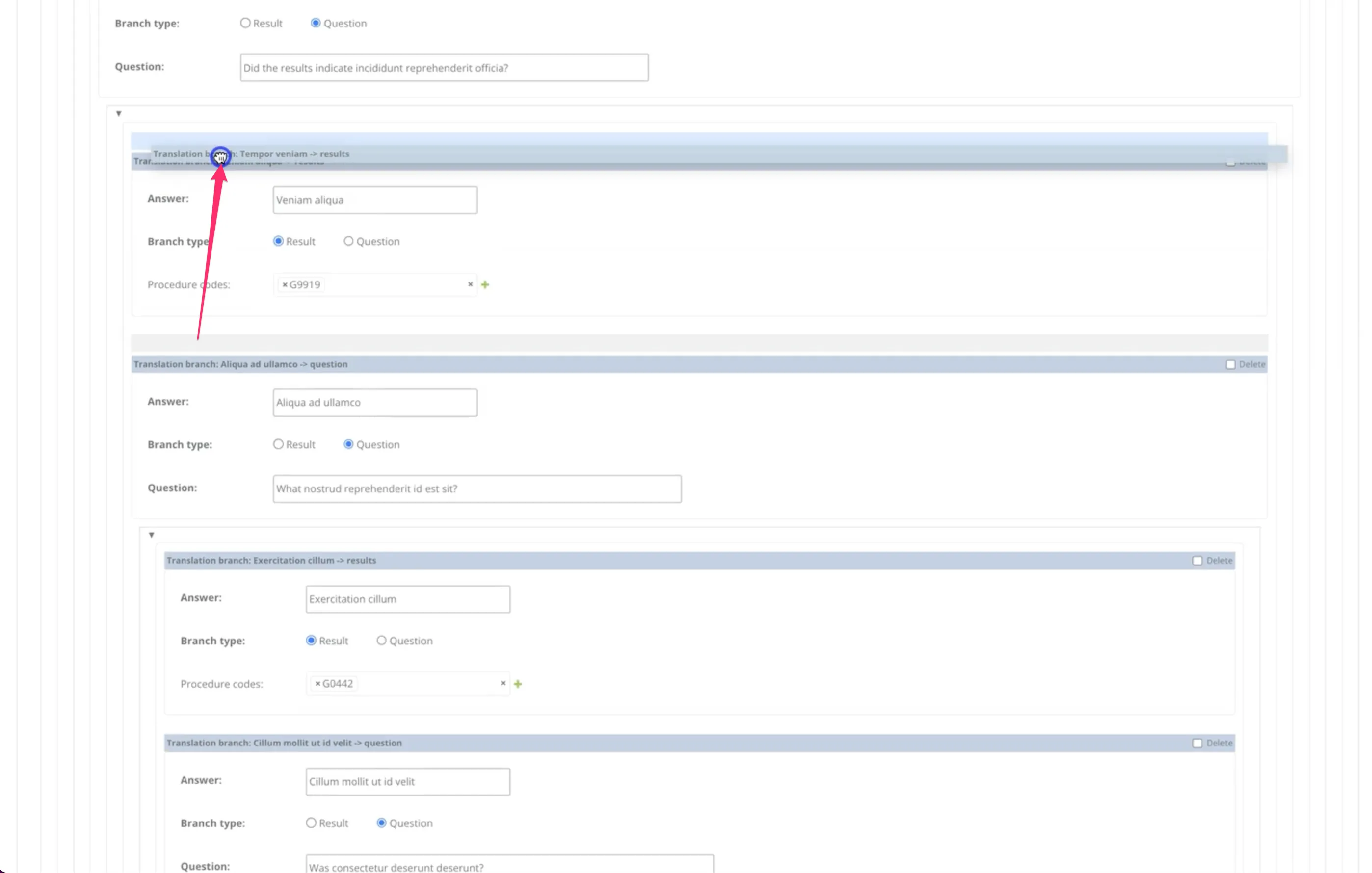
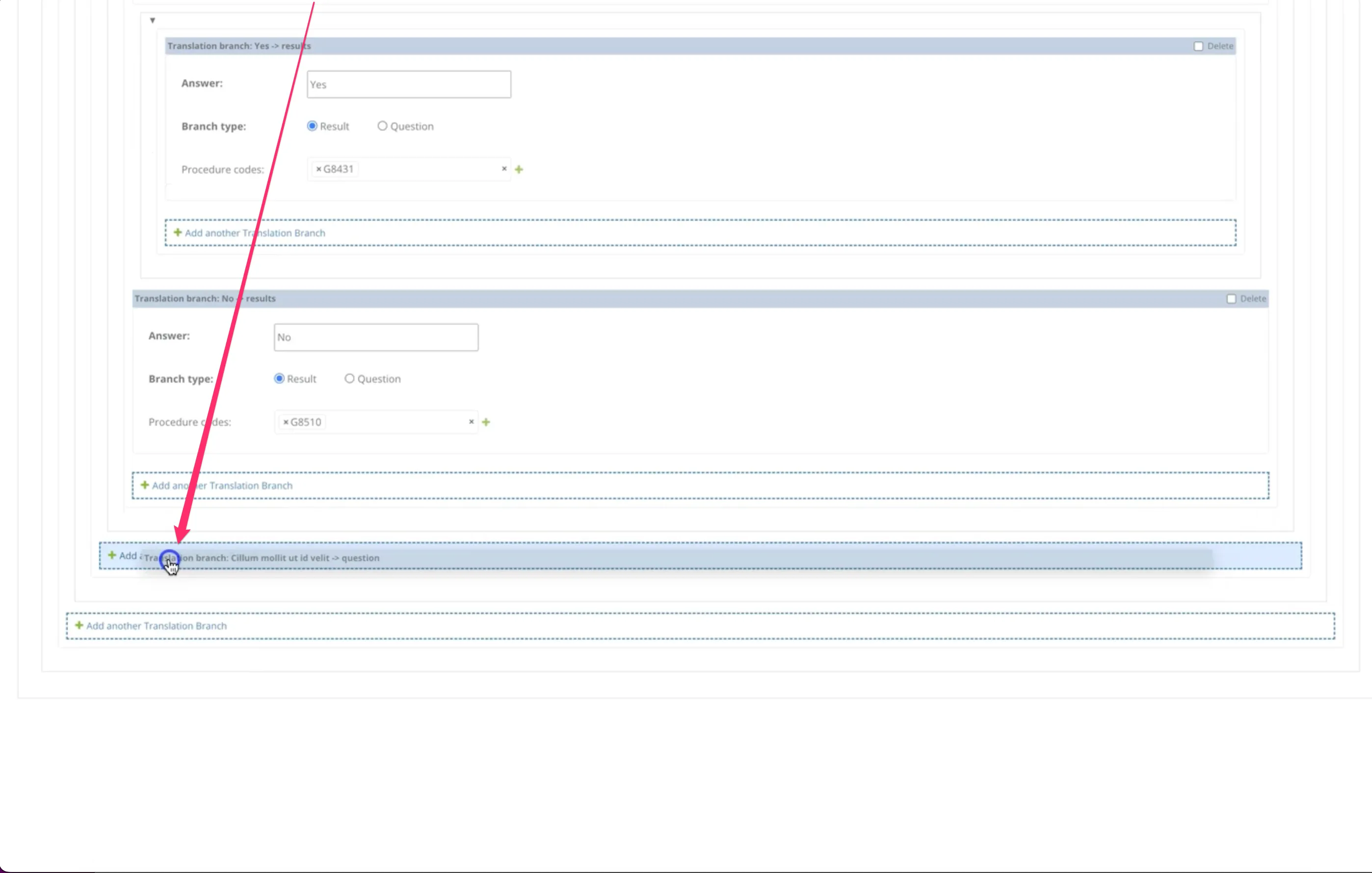
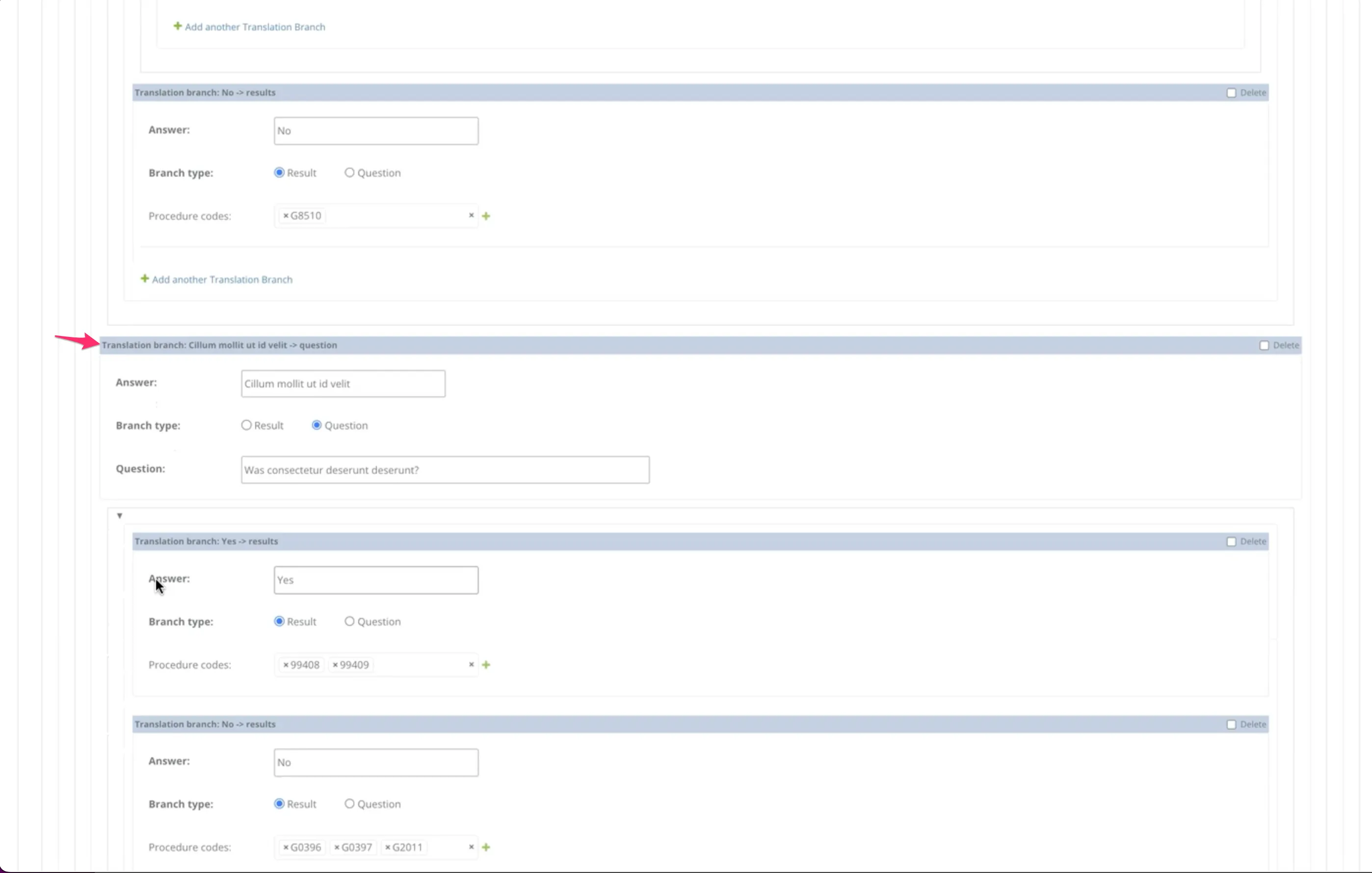
A questions-and-answers tree for configuring an AI assistant's decision logic. Each tree is a self-referencing hierarchy: a root question branches into answers, which lead to result nodes or further questions, nested arbitrarily deep.
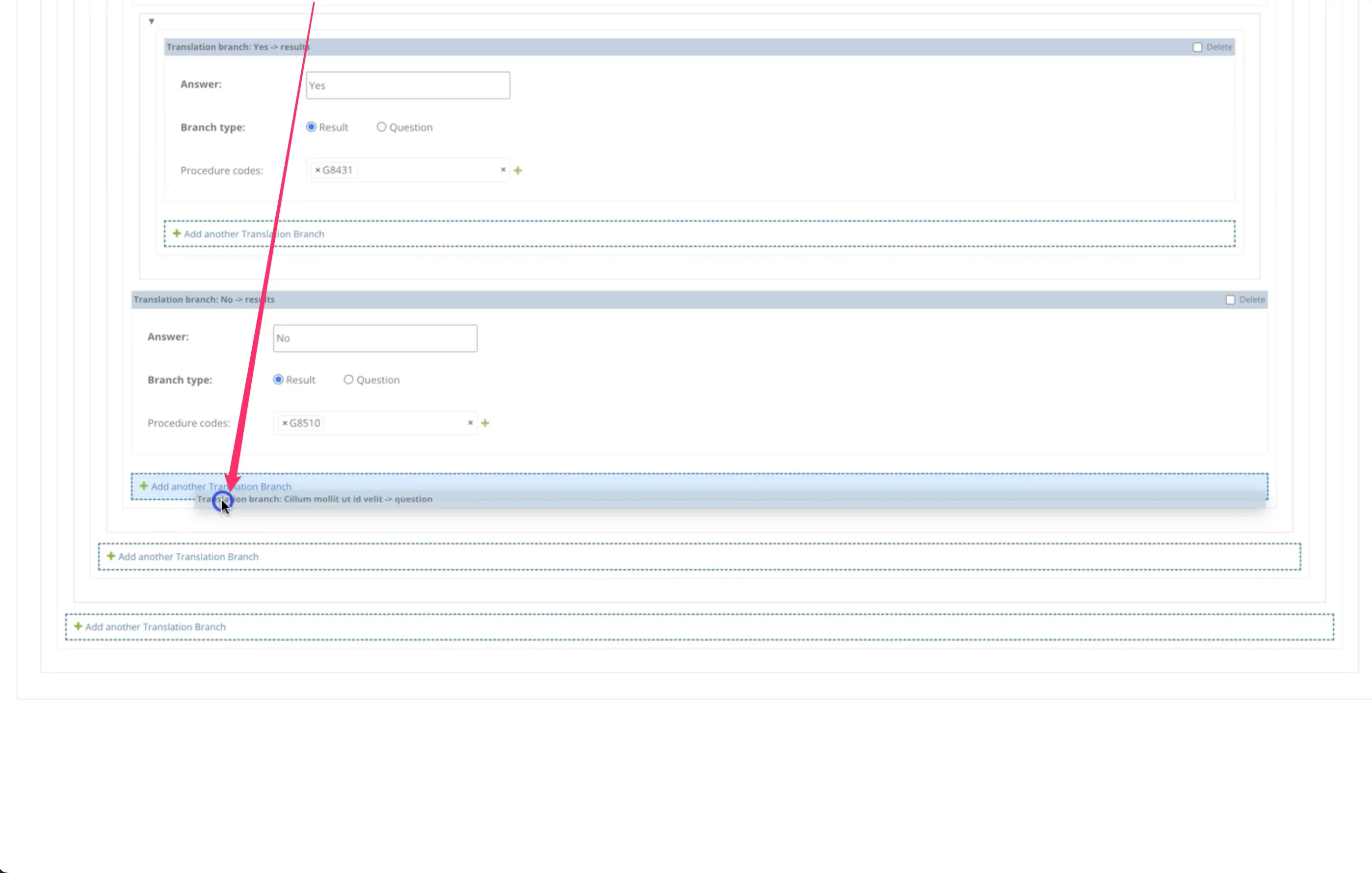
Built on django-nested-inline but heavily customized. Out of the box, django-nested-inline only supports drag-and-drop within the same nesting level and doesn't support self-referencing foreign keys at all. The workarounds enable dragging subtrees from any depth and dropping them onto "Add another" links at any other level, with the dragged content collapsing cleanly during the move.
One grid instead of hundreds of pages
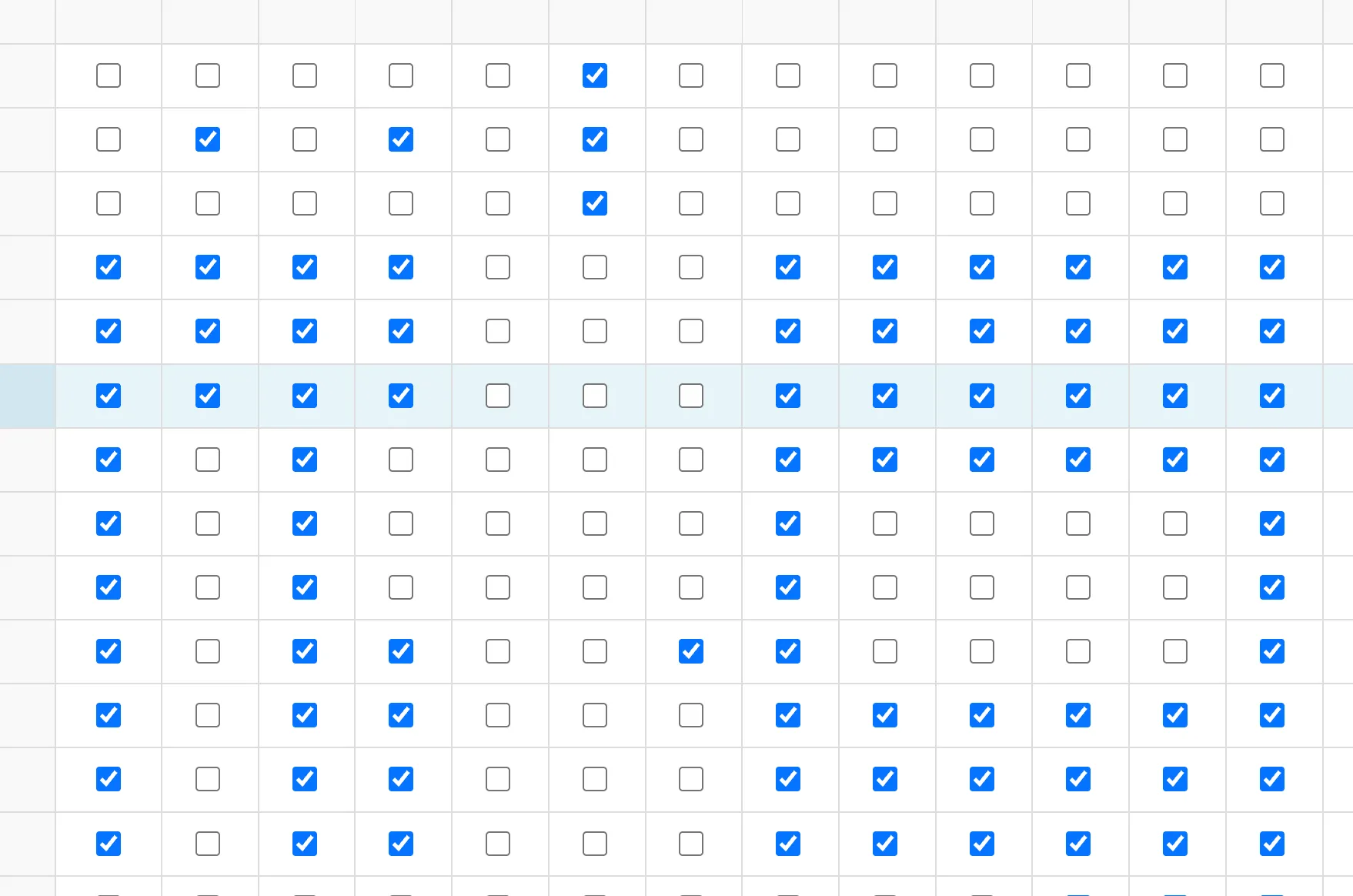
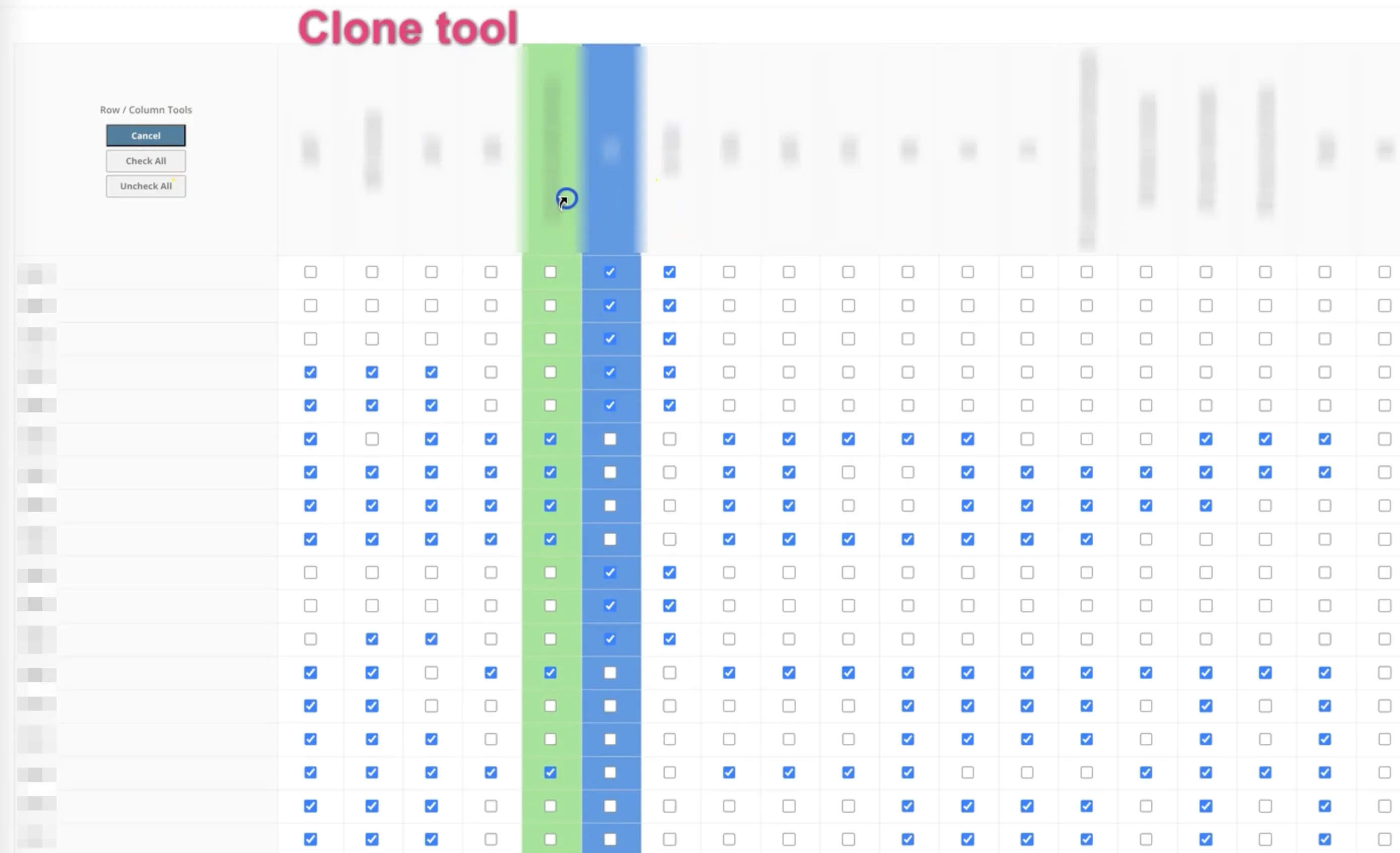
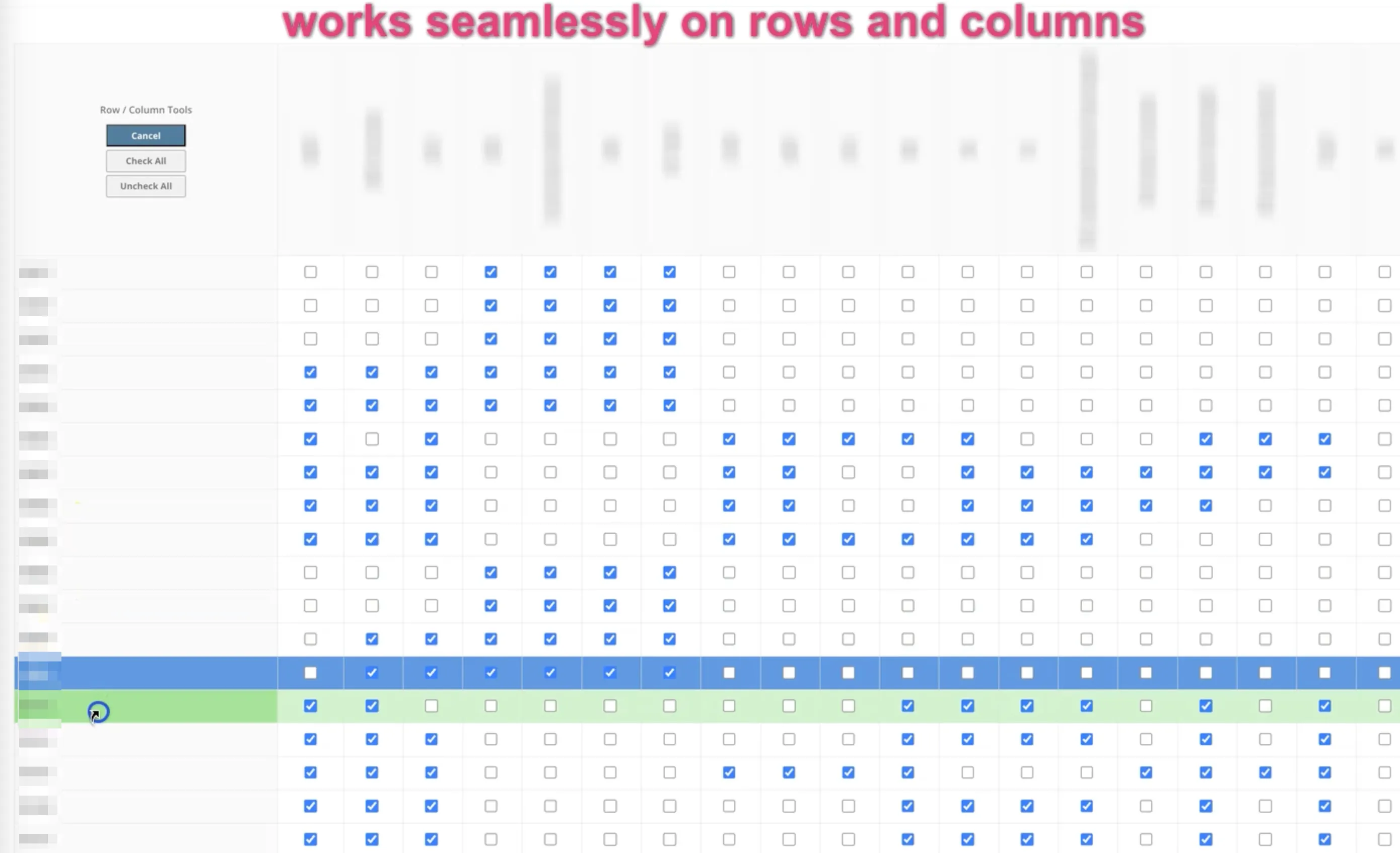
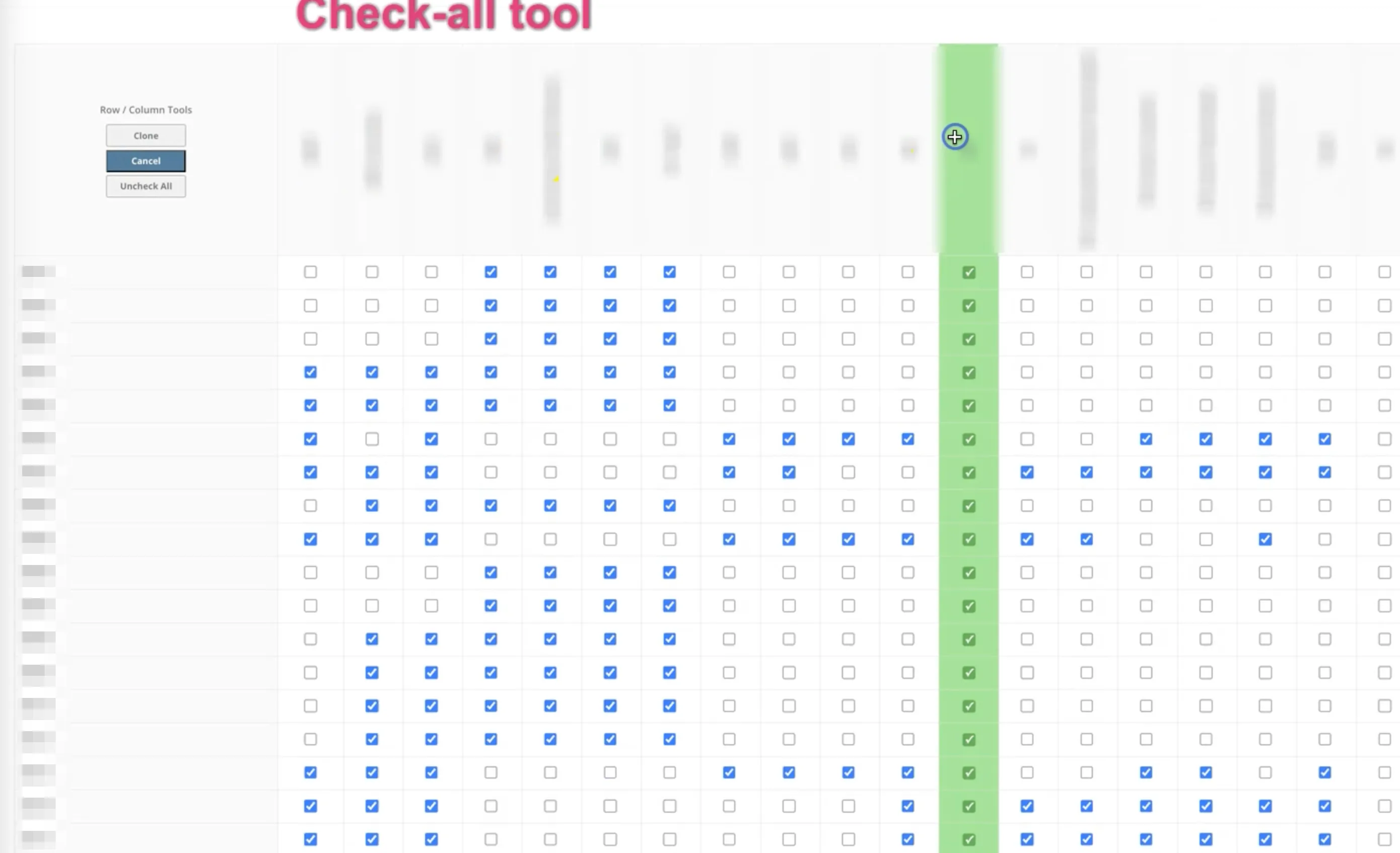
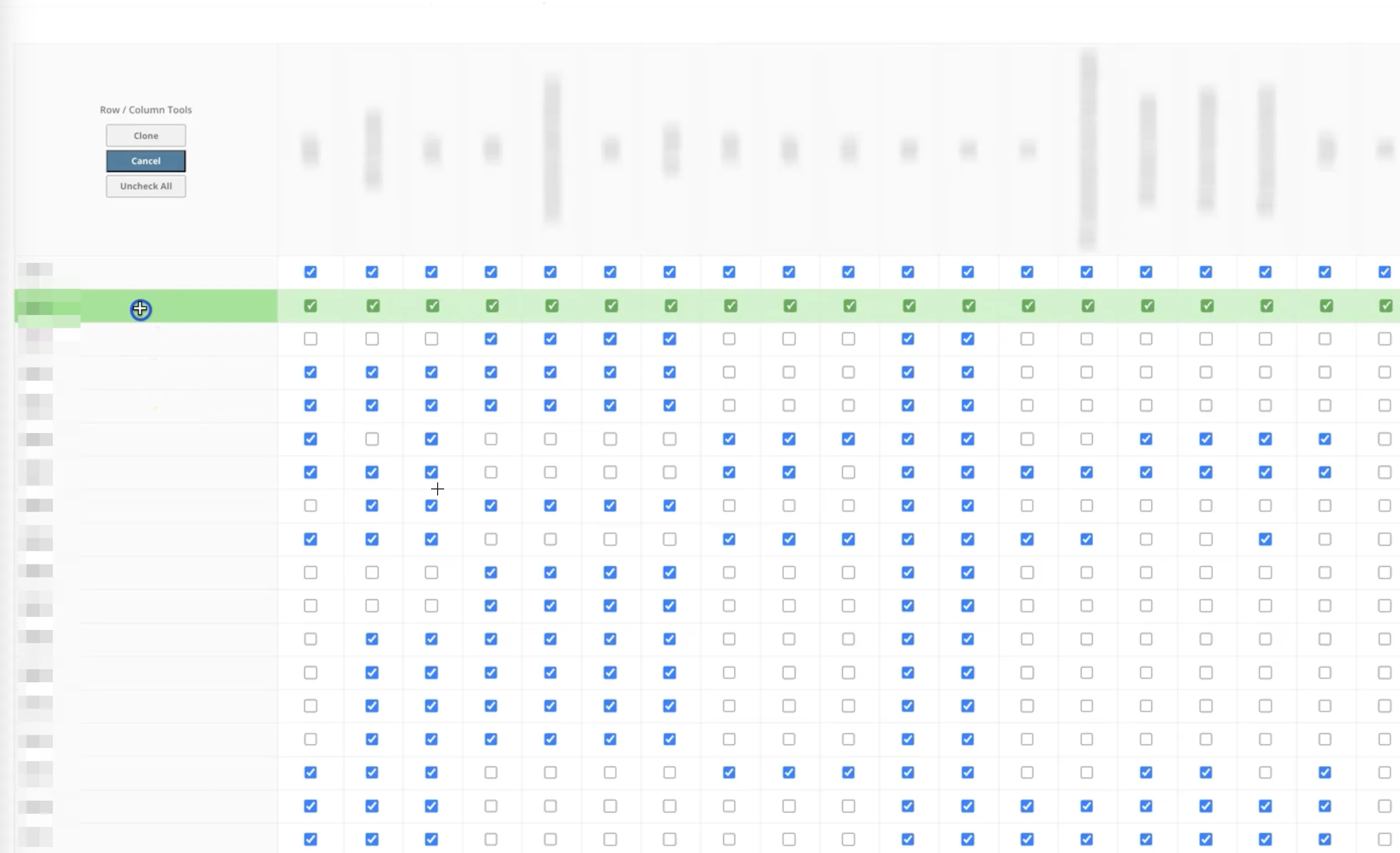
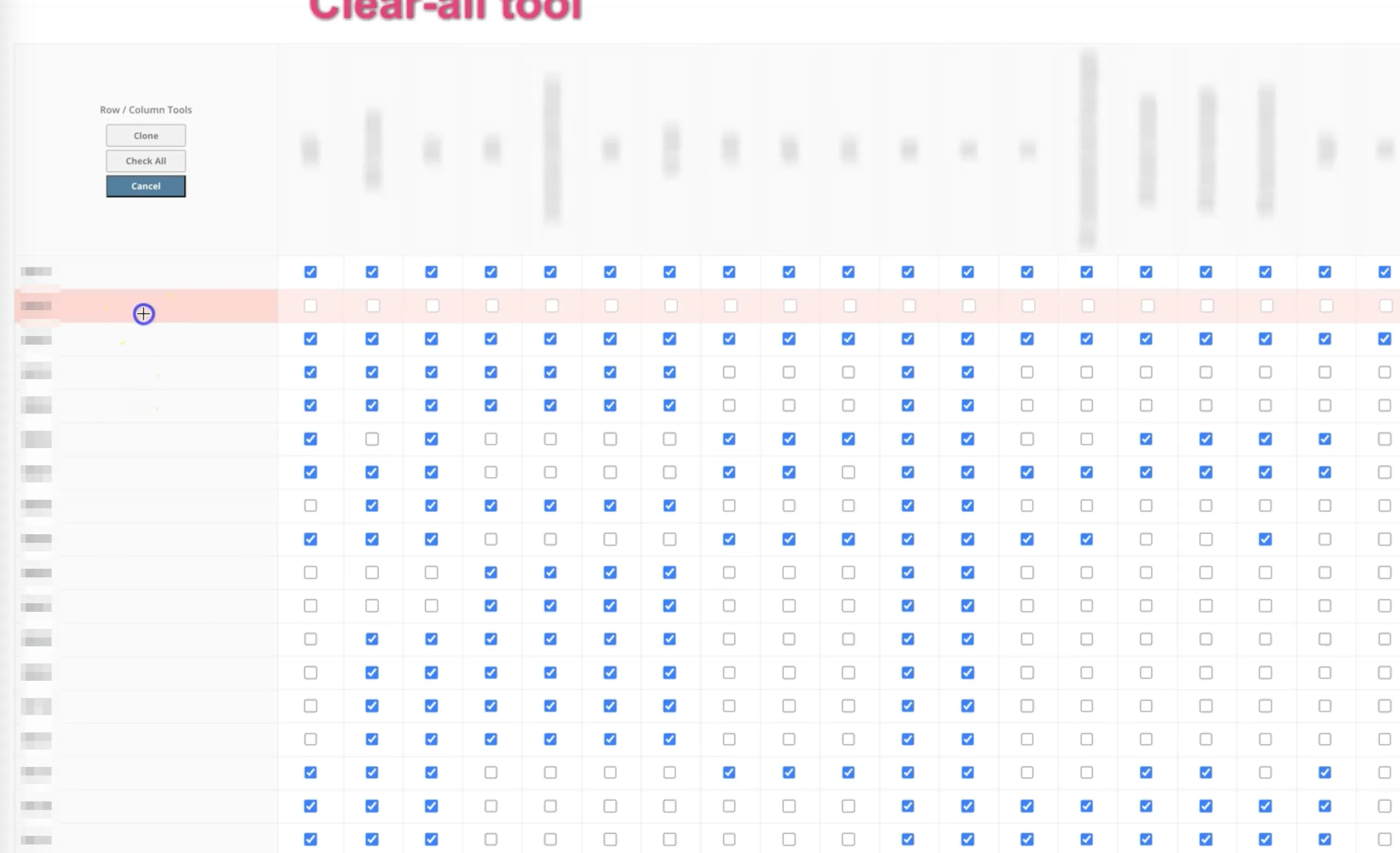
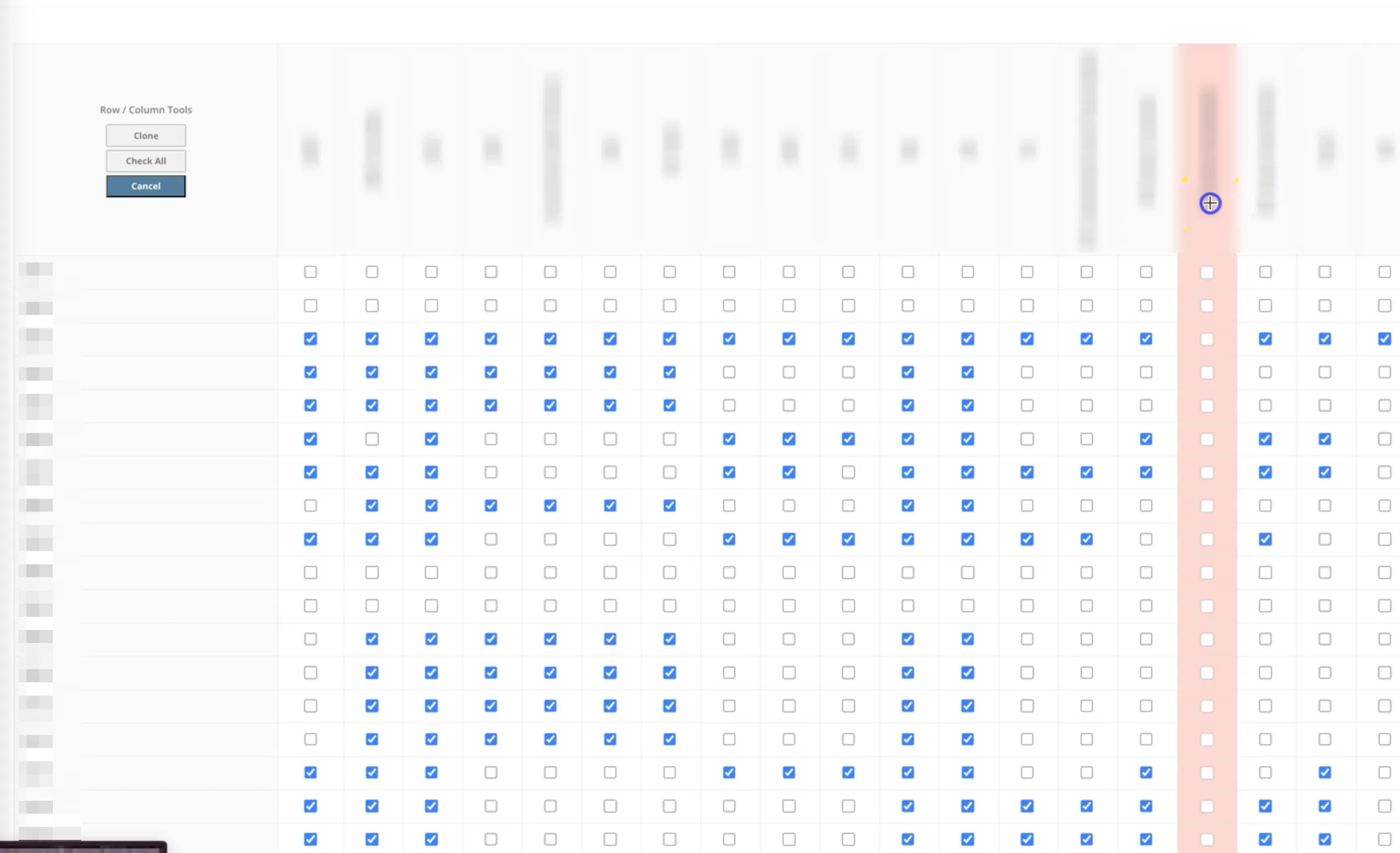
A single admin page for managing many-to-many relationships across an entire model. Each relationship is a checkbox in a grid. Three tools work on both rows and columns depending on cursor position: check all, uncheck all, and copy — which applies an entire row or column to another.
This replaced the need to manage hundreds of individual M2M relationships across separate admin pages. The result is a single visual interface that non-technical staff can edit directly.
Versioned config plus regression runs, inside the admin
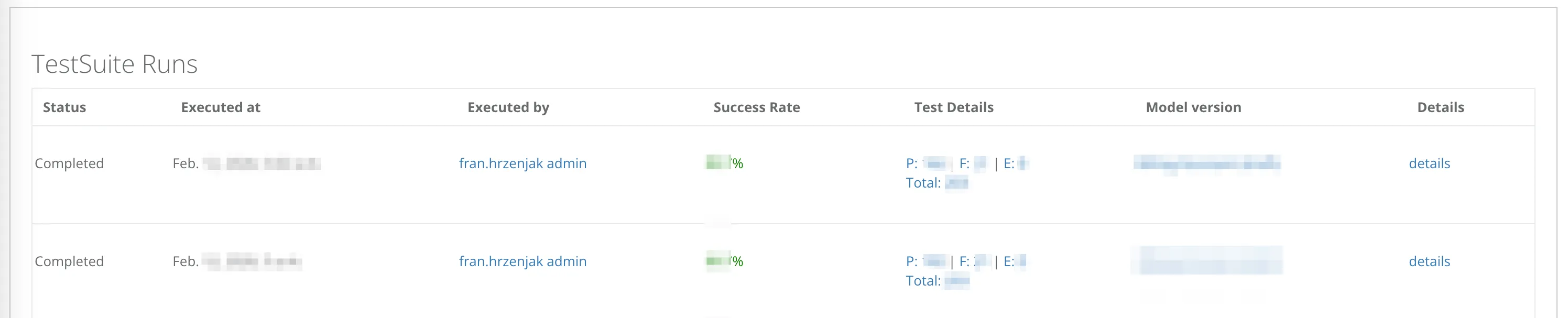
An admin section for a versioned configuration system for an AI assistant, with exports and imports (validated), plus the ability to configure and execute regression test suites against the assistant itself. Test suites run 200+ cases asynchronously across several parallel runners. LLM responses are compared against pre-validated expected outputs, with pass/fail per case, execution time per case, and an overall statistical score for the run.

What the work covered
| surface | covers |
|---|---|
| tree editor | self-referencing FK · cross-level drag-and-drop · collapse-on-move |
| m2m matrix | check / uncheck / copy — on both rows and columns · replaces N separate pages |
| ai config | versioned admin · validated export / import |
| ai tests | 200+ cases · parallel runners · expected-output comparison · pass / fail / score |
| users | non-technical staff editing directly in the Django admin |