commit 662cfe8 2026 AI & automation Computer & LLM vision
Invoice and Receipt Intake: n8n + Claude with Human Approval
Invoices and receipts (PDFs, scans, phone photos) come in by email or an upload form. Claude reads them, the workflows flag missing values, wrong totals and duplicates, and an approver approves, rejects or corrects each one from an email, without an account. All of it runs on n8n: no server, no database, nothing else to host. I built it as a proof of concept against a prospective client's written brief.
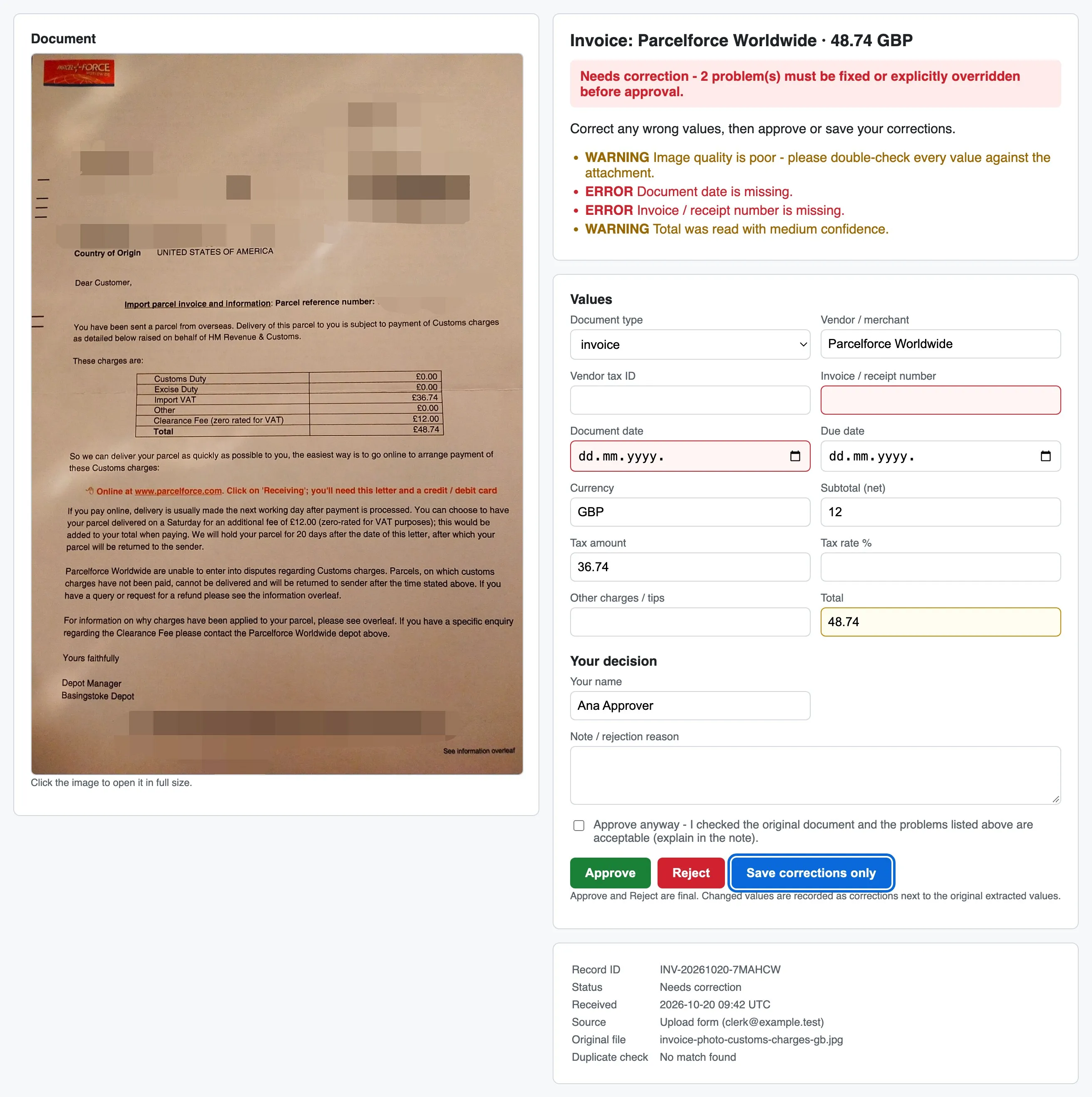
Read, check, then ask a person
The brief described a small finance workflow. Invoices and receipts arrive by email or through a form, as PDFs, scans or phone photos. The system reads the vendor, number, date, amounts and tax, checks for missing values, wrong totals and documents that were already processed, and emails each one to an approver with the original attached. Approved documents go to a Google Sheet, rejected ones and duplicates to a separate list, and the owner gets an email when anything fails.
Two lines in the brief shaped most of the design: do not silently guess missing values, and the approver must be able to approve, reject or correct without creating an account.
All on n8n, nothing else to host
No server, no database, no file host. The upload form is an n8n form, the review page is served by an n8n webhook, the ledger is an n8n Data Table, the signing secret for approval links is an n8n credential, and the watchdog is an n8n schedule. Outside n8n there is only what the job needs anyway: a mailbox, Google Sheets and Drive, and the Claude API.
Running costs are the n8n plan plus Claude usage, about 5 cents per document with Opus and less with Sonnet or Haiku.
Ten workflows: two intake triggers, the processing pipeline, the review page, the watchdog, an error workflow, a config workflow and three small adapters. Every outside service goes through exactly one adapter, so retries live in one place and a backend is a config switch (Gmail or IMAP/SMTP, Google Sheets or n8n Data Tables, Google Drive or local disk).
The system of record is the Data Table, not the Sheet. Google Sheets has no atomic update and a request quota, and people edit it by hand. The ledger also keeps what the Sheet never shows: per-field confidence, extracted versus corrected values, link state.
Claude reads, and never guesses
There is no separate OCR service. PDFs go to Claude as documents, with the text layer and the page images, so scans work too. Photos are downscaled and sent as images. The answer is structured JSON with a confidence level for every field and a legibility rating. The prompt forbids calculating or inferring values, so anything that isn't printed or isn't readable comes back empty, and validation flags it.
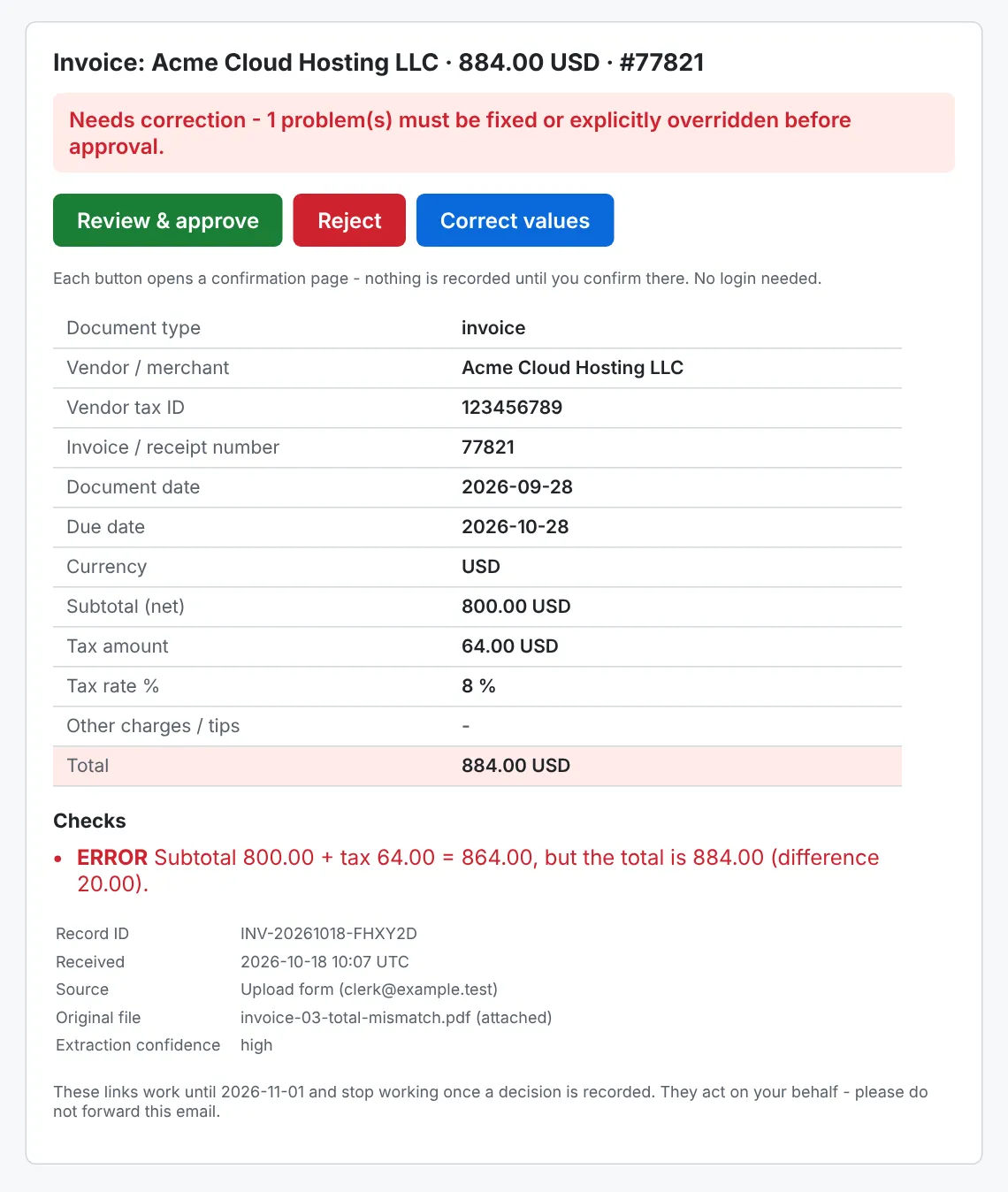
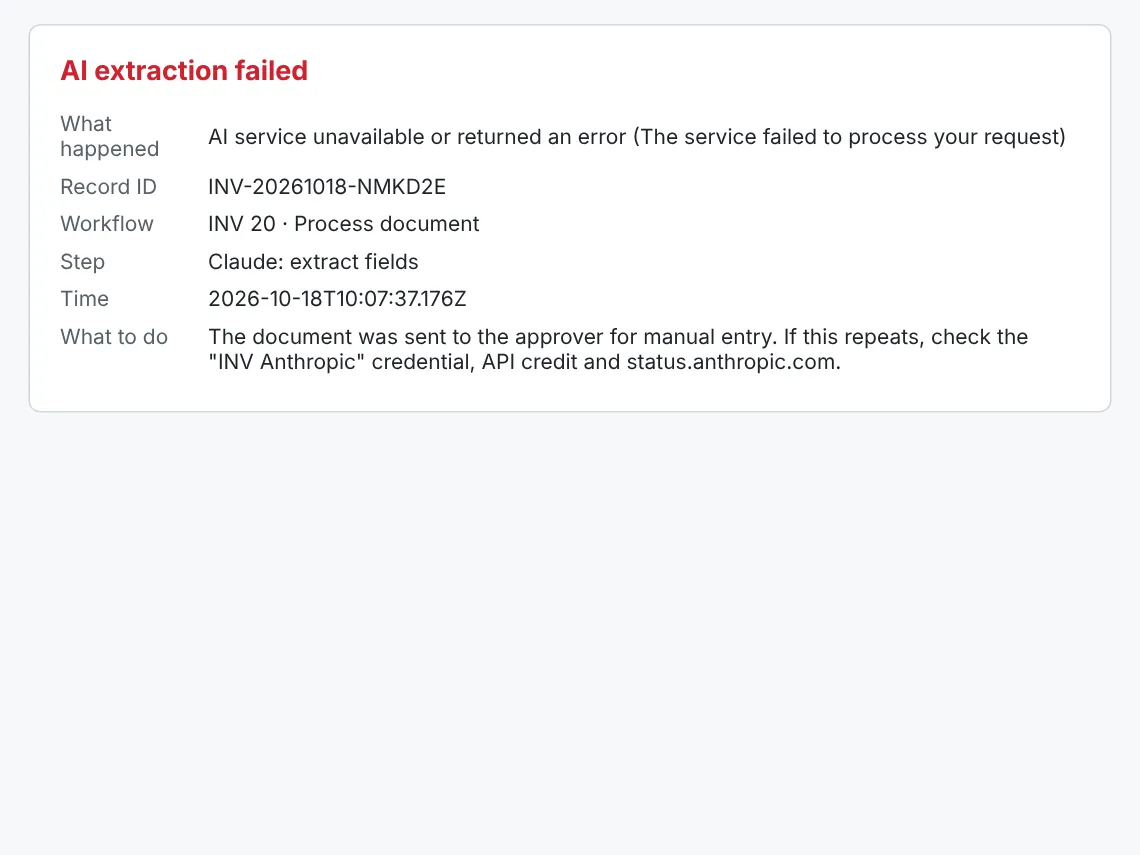
Validation checks the required fields, that subtotal plus tax equals the total, the tax rate, dates, currency and confidence. A missing or low-confidence required value blocks approval until the approver fixes it or approves anyway with a written reason. When the AI is down, refuses, or can't read the format, the document still goes to the approver for manual entry and the owner is told. Nothing is dropped.
Three layers, safe under concurrency
| layer | matches · catches |
|---|---|
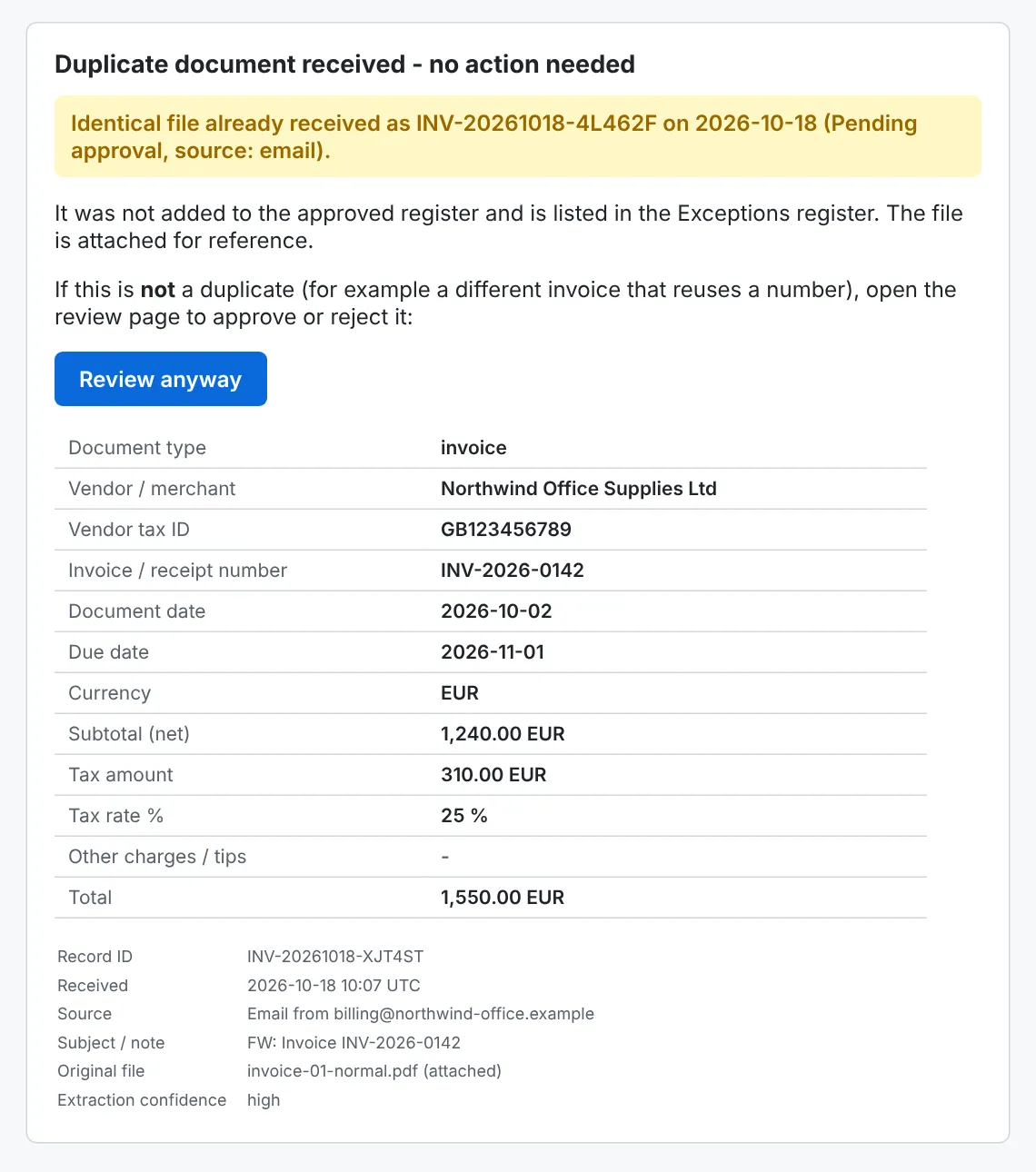
| exact file | same SHA-256 · repeated uploads, forwarded and re-sent emails · no AI call |
| same invoice | same vendor (normalised name or VAT ID) and same number · re-scans, regenerated PDFs |
| possible | same vendor and total, a number one character off or dates within 3 days · a warning, the approver decides |
Consecutive numbers like INV-1001 and INV-1002 are normal and never flagged on their own. The ledger row, file hash included, is written before the duplicate check, so of two copies processed at the same moment exactly one stays the original. Approval checks again for an already approved copy, and register rows are upserted by key, so a retried write updates a row instead of adding a second one.
Links that survive mail scanners
Each approval email carries signed links: an HMAC over the record, a per-document nonce and an expiry, with the secret kept in n8n's credential store. Opening a link only shows the review page, and the decision is a button press on that page. That matters because email security scanners open every link in an email, and a link that approved on open would approve every invoice.
Recording a decision rotates the nonce, so every earlier link, reminders included, then shows who decided and when. Two simultaneous clicks record exactly one decision. Corrections are stored next to the extracted values, and the Approved register shows what was changed.
The owner hears about it
Every document gets a ledger row before anything that can fail. A failure after that point becomes a processing error, an Exceptions row and an owner email with the original attached, so the document can still be handled by hand. The hourly watchdog sends reminders with fresh links, re-sends approval emails that failed, catches stuck documents and checks that the AI is reachable. The workflows keep only failed executions in n8n's history, so invoice contents don't pile up in its database.
Workflows generated from tested code
The n8n workflow files are build output. Node layout and wiring live in JavaScript, and the business logic (validation, duplicate rules, link signing, email and page HTML) is plain JavaScript that is inlined into the Code nodes at build time. Each node gets only the helpers it uses, so it stays readable on the n8n canvas. The same code runs under unit tests outside n8n, and one command deploys all ten workflows to any n8n instance through its API.
The end-to-end suite runs the real exported workflows on a local n8n, with an IMAP server, an SMTP sink, local stand-ins for Sheets and Drive, and a mock of the Claude API. Its 40 checks map onto the brief's acceptance tests and add the race cases: two simultaneous uploads of one file, two simultaneous approve clicks, an AI outage, a storage failure halfway through processing.
What was proven, and what wasn't
Every acceptance test in the brief passes end to end. On n8n Cloud, with a real mailbox, Google Sheets, Google Drive and the real Claude API, the upload form, email intake, duplicate detection, corrections, approval and rejection all worked.
Two things weren't tested. The Gmail trigger and send nodes never ran against a live account (IMAP and SMTP did). And extraction accuracy wasn't measured on a larger set of real documents. The repository includes a script that measures it field by field, for a few cents per run.