commit 2ebc488 2026 Computer & LLM vision AI & automation
VyntX Vision Core: AI Symbol Detection for Construction Drawings
Vision Core reads the legend on a construction drawing and finds the symbols it lists, so an estimator gets counts they can correct and sign off instead of counting by hand. I built V1 for VyntX as the only developer, from a proof of concept in June to production at the end of September 2026.
How well it counts
The engine is scored against a fixed, representative set of construction drawings that were counted and checked by hand.
These are the engine's raw results, before anyone reviews them. Most of what's left is recall, symbols the engine didn't find, and that's what the review step and the final sweep for missed symbols are for.
Counting symbols by hand
Before a fire or security contractor can price a job, someone has to go through the drawings and count what's on them: smoke detectors, call points, sounders, cameras. One floor plan can hold a few hundred symbols of twenty or more types. Every drawing set also comes with its own legend, so a symbol that means one thing on one project can mean something else on the next.
VyntX was started by people who did this counting for years. They wanted software that takes over the tedious part and leaves the estimator in charge, so a signed-off export only contains counts a person has checked.
From PDF to a signed-off count
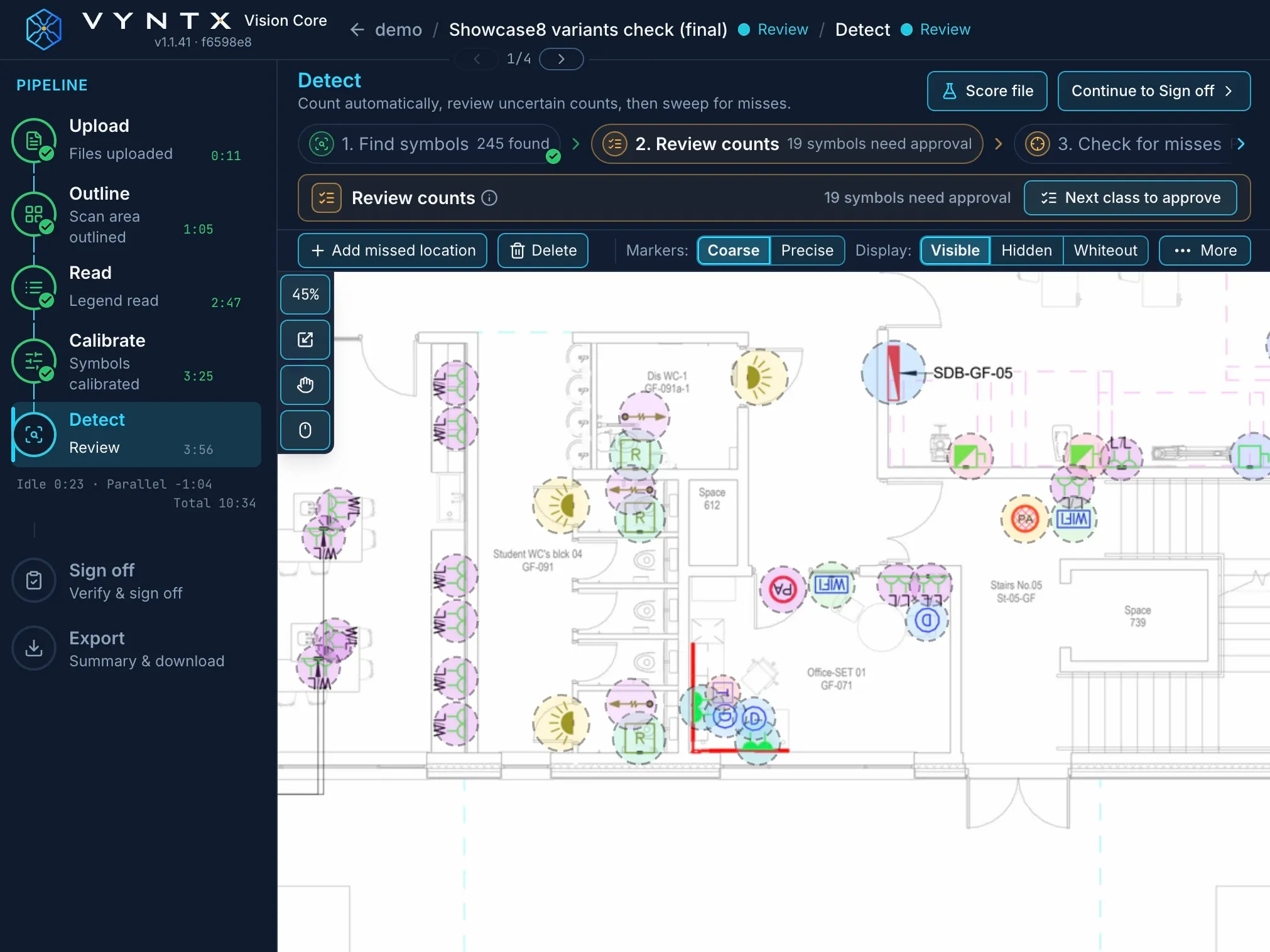
Each drawing goes through the same steps. In "Review each step" mode the user checks the result of every step before moving on. In "Auto pipeline" mode the drawing runs straight through to Detect and stops only where a person is needed.
| step | what happens |
|---|---|
| upload | PDF rendered to images · a multi-page PDF becomes one drawing per page |
| outline | frame, title block and notes marked as excluded · only the drawing itself gets searched |
| read | the legend becomes a list of symbol classes · legends can be published and reused across drawings |
| calibrate | prepares the symbols for this sheet · the user can approve the examples |
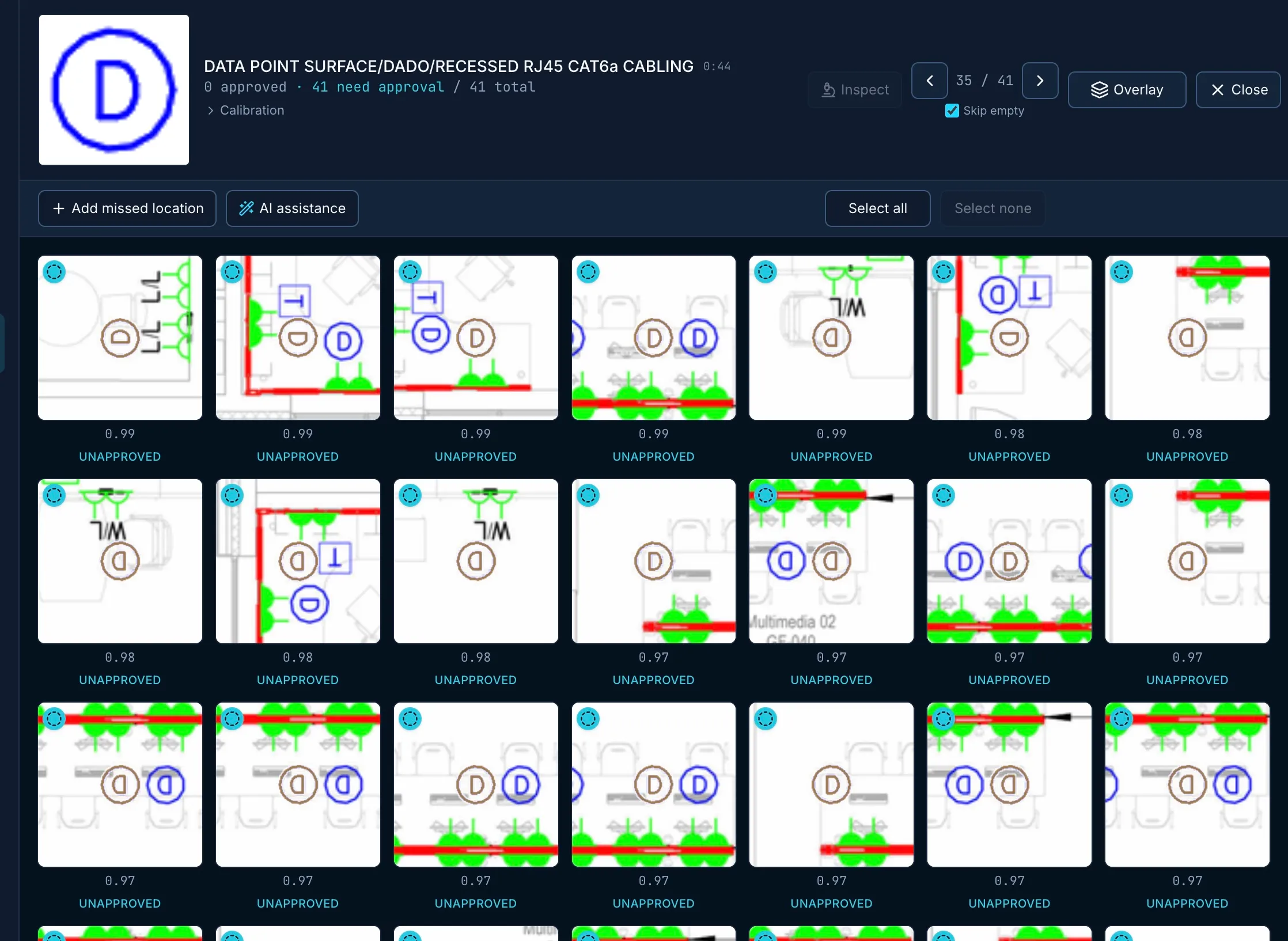
| detect | finds the symbols and flags the doubtful ones · the user approves, deletes, reassigns or adds |
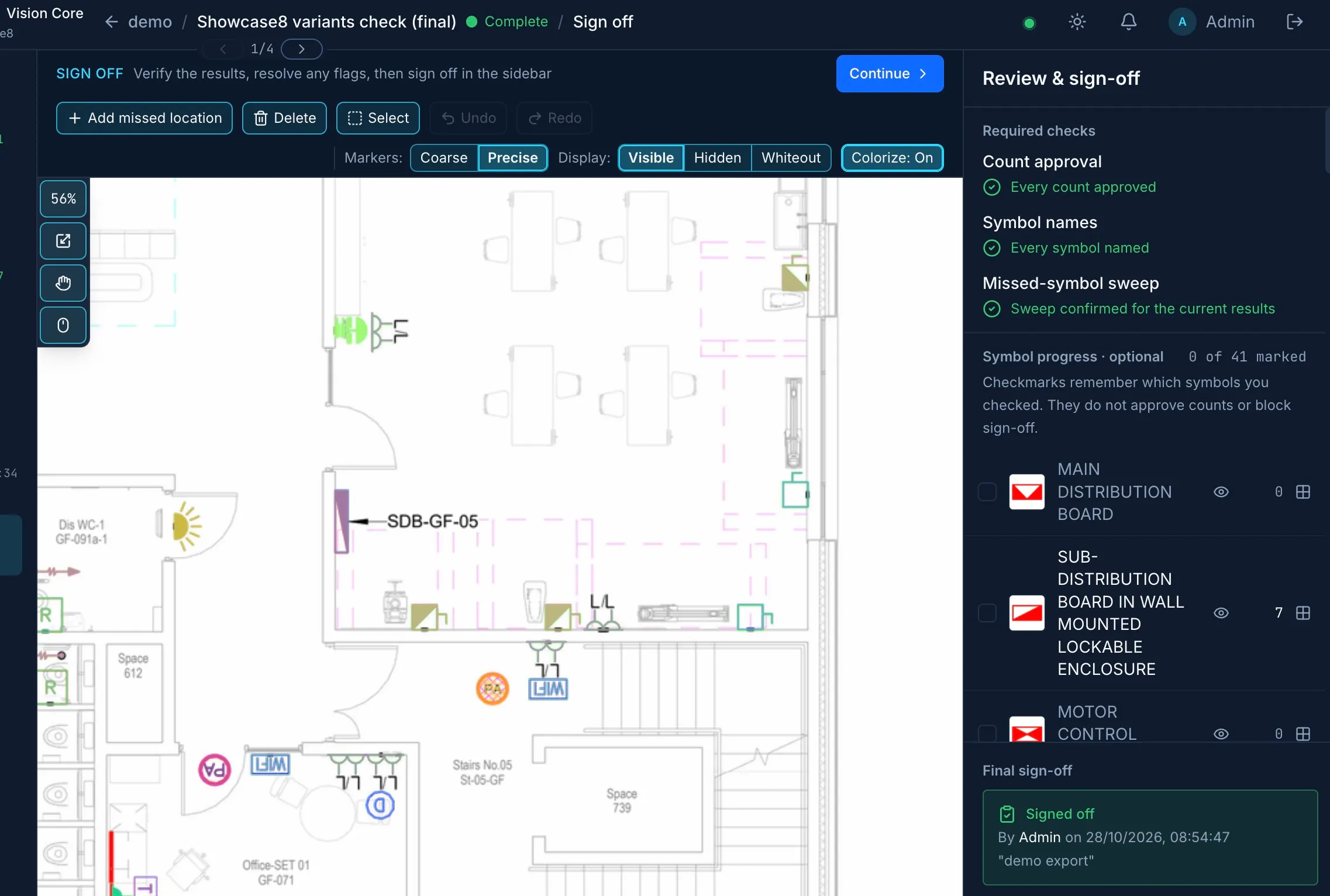
| sign off | the estimator vouches for the counts · refused while anything is still open |
| export | spreadsheet or PDF · without a valid sign-off the file name says UNVERIFIED |
Sign-off is where the estimator takes responsibility for the count, so the app is strict about it. It's refused until every detection is approved and every symbol has a name, and the user also has to confirm a final sweep for missed symbols.
AI detection built for drawings
Vision Core uses an AI-assisted detection pipeline built specifically for construction drawings. It works from each drawing's own legend rather than a fixed symbol library, gives every detection a confidence score, and brings the doubtful ones to a person, so the estimator stays in control of the final result.
Knowing what a change actually did
With an engine like this it's easy to fix one drawing and quietly break three others. So next to the engine I built regression testing that scores each engine change against the manually verified benchmark drawings, and changes could be evaluated consistently before they were released.
Processing that recovers from failures
A single drawing turns into dozens of background tasks, and some of them run for minutes. The first version of the background processing was fine for the demo. After the demo, though, the state of the work and the state of the drawing kept drifting apart, and by mid-August ten separate clean-up jobs were keeping them in line. I reworked the background processing so that long-running tasks are recoverable and the application state stays consistent when a job fails or a worker restarts. A run also waits out an outage at the AI provider instead of failing.
Infrastructure that follows the workload
The application runs on Azure, with the infrastructure defined as code and automated build and release workflows. Releases move from development to staging to production in a controlled, repeatable way, and production runs exactly what was tested on staging.
Processing load is spiky: nothing for hours, then a batch of drawings at once. Event-driven autoscaling with KEDA makes processing capacity follow that load instead of running at peak all day. Along the way I cut the compute left running after a short job from five minutes to about 20 seconds, fixed out-of-memory failures under burst load, and, together with search and scheduling changes, brought Detect on four benchmark sheets from 54 to 32 minutes with accuracy unchanged.
Accounts and billing
Around the engine sits a full multi-tenant SaaS application. Users sign up with their email and need approval before they can start processing. The platform has personal and organisation accounts with role-based access, subscriptions and credit management, and usage tracking.
What VyntX has now
VyntX owned the source repositories, the Azure environment, the domain and the billing account from day one, so handover didn't involve moving anything. It came down to the production application itself, technical documentation, operational runbooks and five recorded walkthrough videos.
Production went live at the end of September, and 1.0 followed on 2 October. It's now being validated by a group of early users on real projects.
Automated tests cover over 90% of the backend code. Together with the frontend tests and the release checks in CI, they keep the application releasable as development continues after handover.