Bellaloopa — Fully Configurable Layouts on WordPress
A WordPress fashion site whose design dared to put main content inside the sidebar — which sent me down a short detour into making the entire page layout composable, right down to the title and comment box, with a two-tier template system that kept contributors productive without letting them break the design.
When "the_content()" belongs in the sidebar
The design called for different page layouts per article format — share buttons in the sidebar for one template, under the content for another, which is already a familiar nuisance. Then one template asked for the main content to render inside the sidebar column. WordPress's the_content() is not generally where you expect to find a sidebar widget. At that point, growing the PHP templates with another round of if-branches stops looking sustainable.
Everything is a shortcode; everything is composable
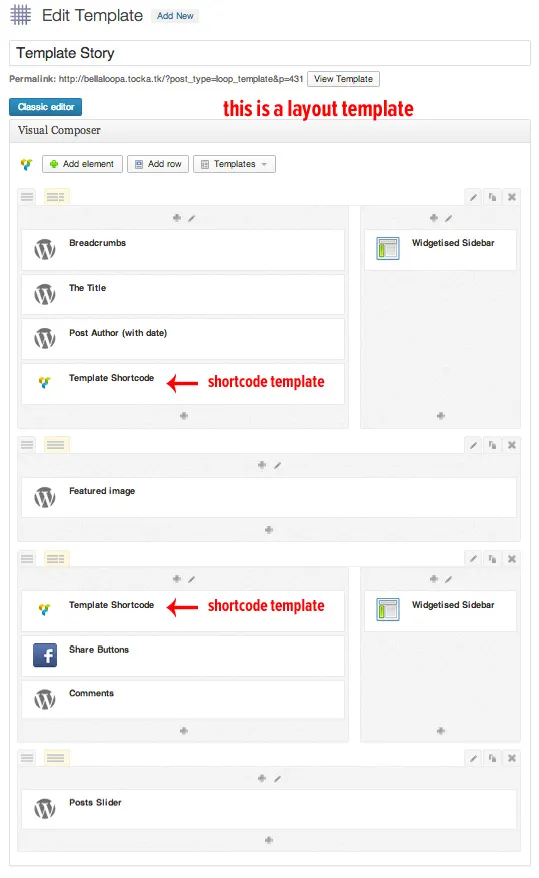
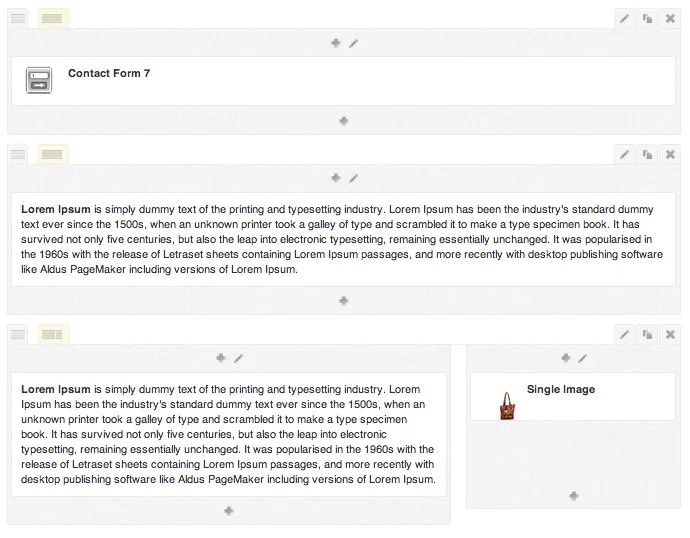
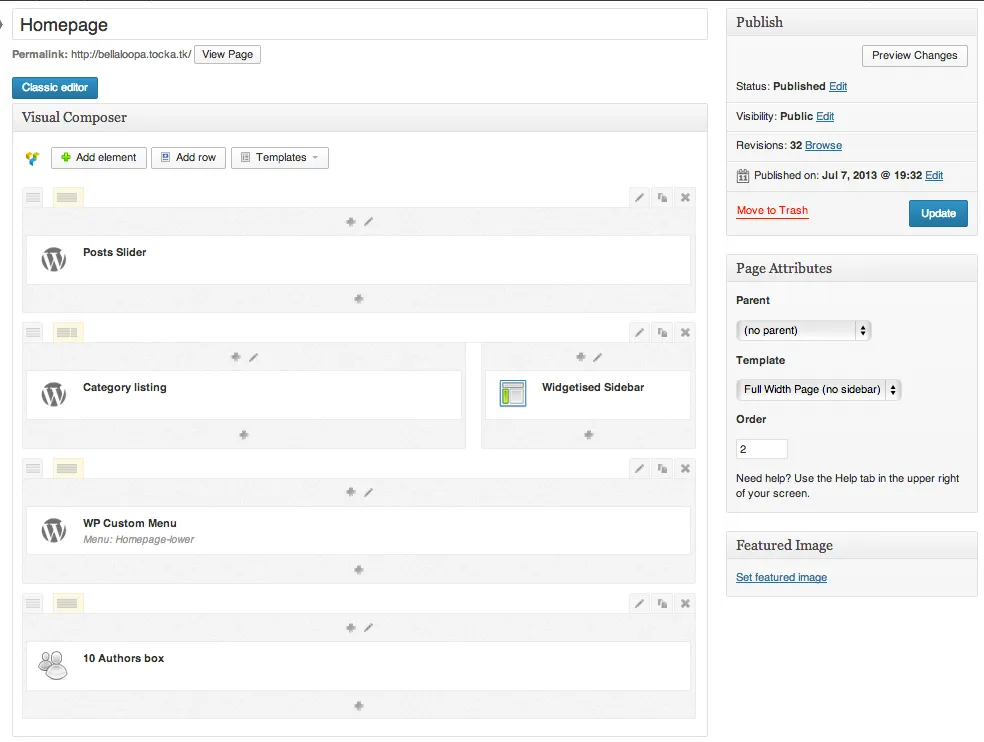
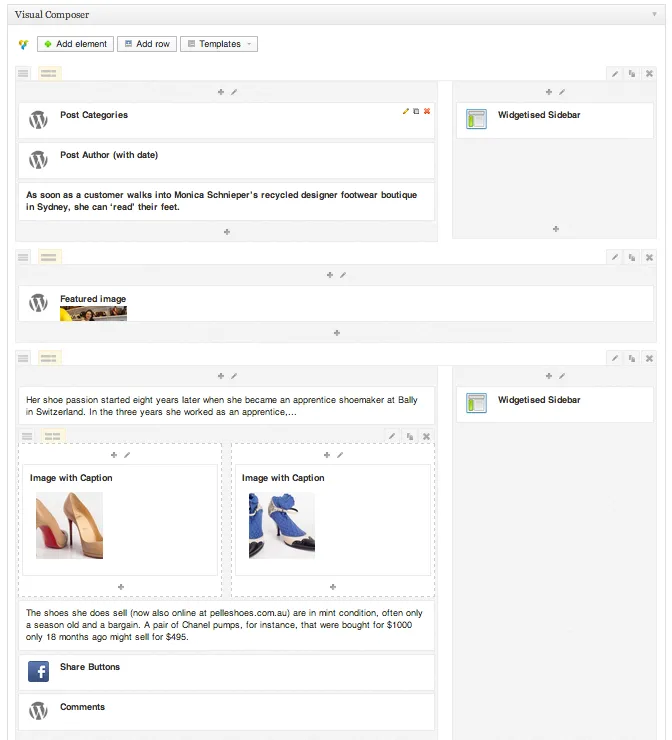
Visual Composer was already handling shortcode-based layouts well. The jump here was to take every element of the page — title, breadcrumbs, author info, sidebars, main content, comments — and make each of them a shortcode too. Once that's true, the page's layout is a composition problem rather than a templating problem: a layout is just a Visual Composer document, and you can put the content block anywhere, including in a sidebar column if that's what the design needs. Header, main nav, and footer stayed in the theme; everything between them became Visual Composer's business.
Two tiers: one for admins, one for contributors
If every page is a full Visual Composer document, non-technical contributors will find the interface overwhelming and can easily break the layout by misconfiguring it. The answer was a two-tier template system built on top of Visual Composer as a small custom-post-type set.
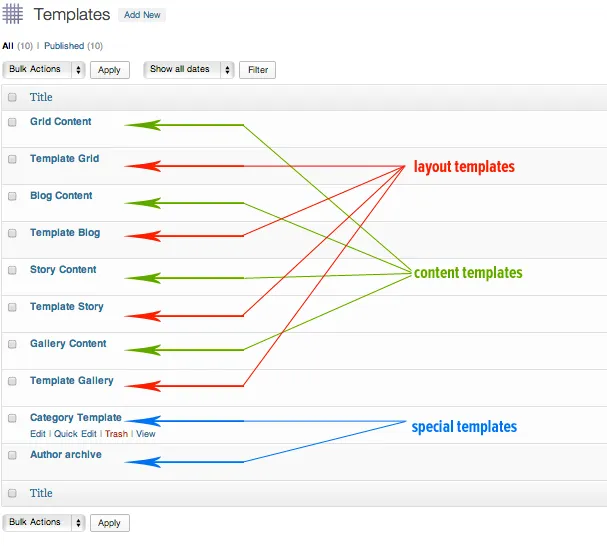
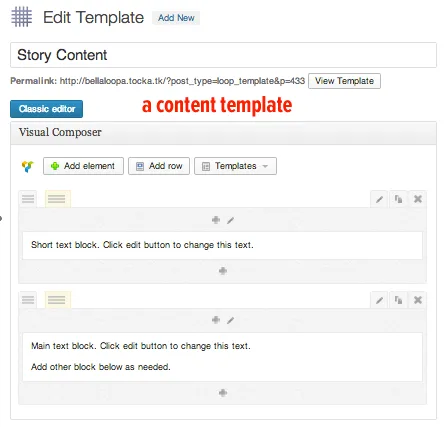
Layout templates — created by admins — define the full structure of a page using a special template shortcode that marks where the editable content will slot in. Content templates — the simpler, contributor-facing ones — sit inside a layout template and expose only the fields contributors need to fill in. Contributors write posts using only Visual Composer and only the content template assigned to their post; the classic editor is hidden for their role. Admins retain full control over both tiers and can still drop into a post's layout when necessary.
Two nice follow-ons fall out of this: admins can re-apply a layout over a post with a couple of clicks, and changing a layout template propagates the new design to every post that uses it — one edit, all stories updated.